
Table of Contents
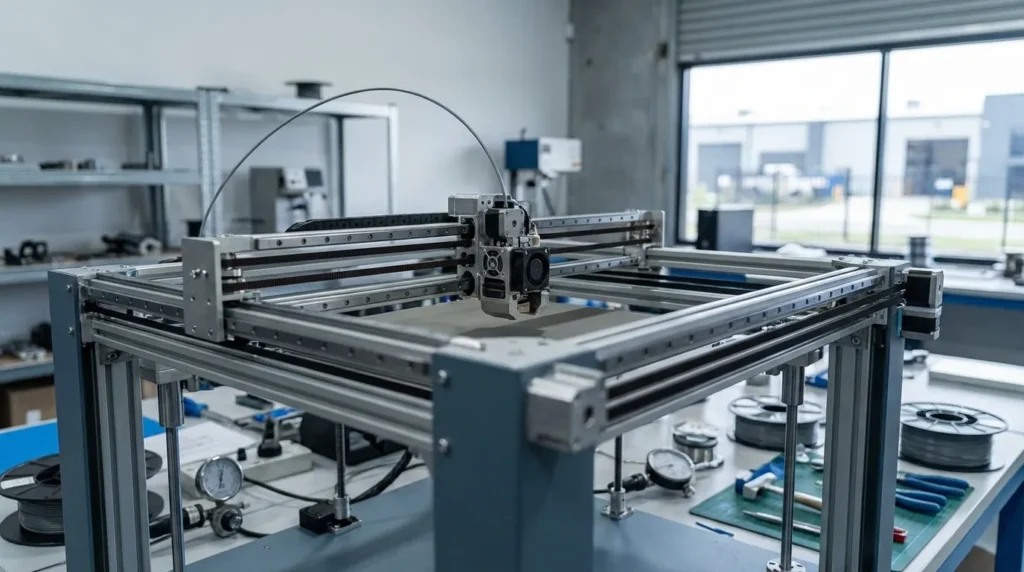
The Essential Guide to FDM 3D Printer Calibration Techniques
If you run an FDM 3D printer for a while, calibration usually stops feeling like a one‑time task and turns into something you watch all the time, often more than you planned. For industrial engineers and manufacturing teams, even small calibration drift can quickly turn into scrap and downtime, followed by missed deadlines and a few tense meetings. For educators and advanced hobbyists, poor calibration often makes fast printing feel unreliable and stressful, especially when a print fails with no clear warning. That’s why, in my view, calibration matters more today than it did a few years ago, especially when speed is the goal.
High‑speed FDM systems push motion, extrusion, and heat limits at the same time, and there’s usually very little room for error. As speeds go up, weak points show up right away. Bed tilt often causes first‑layer failures in the same corners. Incorrect flow leads to weaker parts, while motion issues show up as ringing or poor fits you can measure with calipers, not just see by eye. This guide looks at handling those problems in a clear, practical way that’s meant to be used.
We’ll cover proven FDM 3D printer calibration techniques from industrial‑grade printers, step by step, with minimal guesswork. You’ll see why failure rates often stay high, which settings really affect daily printing, and how tools like Klipper firmware help keep results consistent when jobs run back to back. We’ll also look at common mistakes people keep repeating and trends shaping production printing as speeds continue to rise.
Why 3D Printer Calibration Is the Foundation of Industrial FDM Printing
Many teams jump straight to hardware upgrades before fixing basic calibration. It feels like the smart move, and it’s hard to resist, but it often does the opposite and gets expensive fast. Industry research keeps pointing to the same problem: most FDM print failures usually come from setup issues, not real machine limits. When calibration slips, material and time get wasted. That hurts even more in short‑run production, where every single print counts.
Recent studies show how common this still is. Even with modern machines, failure rates stay high because calibration steps get skipped, rushed, or treated as a one‑time job. You’ve probably seen that habit hang around longer than it should, even when teams know better.
| Metric | Value | Context |
|---|---|---|
| Typical FDM print failure rate | 41.1% | Poor calibration and setup |
| Human error contribution | >25% | Bed leveling, flow, Z-offset |
| Industrial dimensional tolerance | ±0.15% | Well-calibrated systems |
Taken together, the data shows calibration isn’t optional. Even advanced CoreXY systems rely on careful setup to hit their expected speeds and tolerances. Researchers like Abas et al. found that speed gains usually show up only after proper calibration, no shortcuts, even if that’s frustrating.
Increasing the print speed from 50 mm/s to 70 mm/s cut dimensional deviation from 0.8% to 0.5%.
In daily use, a well‑calibrated machine can often run faster while staying accurate, without constant reprints. That usually means less stress and more consistent results.
Bed Leveling and Z-Offset: Getting the First Layer Right in 3D Printer Calibration
The first layer often decides how the whole print goes, and when it’s off, the rest of the job usually suffers. That sounds simple, but bed leveling and Z-offset setup still get rushed more than they should (you’ve probably seen it happen). In my experience, that rush is where most print issues begin.
In industrial setups, even a small amount of bed tilt can cause size changes across large parts, especially on long prints where small errors quietly add up. Manual leveling can work just fine if it’s done the same way every time, because repeatability often matters more than fancy hardware. Automated probing helps as well, but only if the Z-offset is properly tuned and not left at a default value, which is where things often go wrong.
What usually works best is starting with a clean build surface and careful mechanical leveling. From there, the Z-offset is set so the first layer is lightly pressed down, not squashed flat. That balance helps parts stick while keeping dimensions in check. For production parts, many teams aim for a ±0.1 mm first-layer tolerance, a number that comes up often in functional print research.
| Calibration Step | Goal | Impact |
|---|---|---|
| Mechanical leveling | Flat bed plane | Consistent first layer |
| Z-offset tuning | Correct nozzle height | Dimensional accuracy |
| First-layer test print | Visual confirmation | Reduced failure rate |
Modern firmware like Klipper lets you adjust Z-offset live during a print, which really helps on large-format machines used for tooling and fixtures. A small tweak at the right time can prevent hours of rework later. I’ve found it well worth the effort for consistent 3D printer calibration results.
Extruder Flow and Filament Control for Dimensional Accuracy
Once the first layer is solid, extrusion accuracy often becomes the quiet troublemaker. This is usually where prints start drifting without much warning. Flow rate errors are a common reason parts end up the wrong size, and you’ve probably seen it before: one print looks a bit bulky, another comes out smaller than planned. Even premium filament isn’t perfectly uniform, and that’s just part of the process.
Most filament is sold with a ±0.3 mm diameter tolerance. That small range can change how much plastic actually comes out of the nozzle more than many people expect. When flow isn’t tuned, dimensions tend to wander as the spool unwinds. These changes usually happen slowly instead of all at once, which makes them easy to miss.
Flow calibration is fairly simple, though patience helps. A single-wall cube is a good place to start. Measure the wall thickness in several spots with calipers, not just once. Adjust flow in small steps, usually 2, 5%, and keep notes as you go. Repeat until the measurements match the design.
Research suggests layer height matters more than many assume. Mechanical engineering researchers Buj-Corral et al. found it had more influence than several other common settings.
Layer height was the most significant factor impacting dimensional accuracy. Adjusting layer height caused the largest and most consistent shifts in both width and height errors.
In industrial printing, steady extrusion often matters more than ultra-fine detail. Thicker layers can help keep results consistent, especially when prints run fast.
Motion System Calibration for High-Speed FDM Printing
When printers run fast, motion problems show up early. Ringing and ghosting usually appear first on sharp edges, and they often come from calibration issues, not slicer settings. CoreXY machines are made for speed, but they behave well only when tuned correctly. There are no real shortcuts, and that becomes clear pretty fast.
A good place to start is steps‑per‑millimetre checks. This makes sure the machine moves exactly as commanded, not almost right, which is more common than many expect. After that, vibration control needs attention. Input shaping is now common in high‑speed FDM because it’s hard to avoid when pushing speeds.
Input shaping measures resonance and corrects it in firmware, which cuts ringing without slowing prints. Pressure advance, also called linear advance, manages extrusion during speed changes and keeps corners cleaner when small errors add up.
Well‑tuned systems can reach strong positional accuracy. Community tests often show CoreXY machines hitting sub‑0.1 mm accuracy, which helps during fast moves and corner transitions.
| Motion Setting | Purpose | Benefit |
|---|---|---|
| Steps/mm | Axis accuracy | Correct part size |
| Input shaping | Vibration control | Clean surfaces |
| Pressure advance | Extrusion timing | Sharp corners |
For Australian manufacturers running nonstop jobs, this tuning often leads to quieter machines, less wear, and steadier output over long production runs.
Thermal and Material Calibration for Production Reliability
Temperature control often gets skipped during FDM calibration, and it’s easy to understand why. Issues like warping, layer separation, or uneven shrinkage usually don’t show up right away. They often appear during long prints, especially on enclosed machines, where heat drift slowly builds up over time without being noticed.
What many people miss is that each material needs its own profile. PLA is usually forgiving, but engineering materials behave well only with tighter control and less guesswork. Nozzle and bed temperatures work together to support good bonding and adhesion, while chamber temperature helps keep tall or bulky parts consistent from start to finish.
One helpful habit for industrial users is keeping records of profiles that work. This often makes it easier to repeat results across machines and operators. The Ultimaker technical team notes that consistent material profiles support production-scale workflows and lead to fewer surprises.
Another benefit is hardware protection. Stable temperatures often reduce nozzle clogs and help parts last longer, which matters in busy print farms and education labs where downtime adds up fast. Therefore, temperature consistency plays a major role in effective 3D printer calibration.
Practical Calibration Workflow for Australian Industrial Users
On busy shop floors, a simple and repeatable workflow usually brings the best results. Calibration doesn’t need to feel hard, and teams often notice better outcomes when they focus on doing the same steps each time instead of constant tweaking.
You’ll often see that weekly mechanical checks create a strong baseline. From there, bed leveling and Z‑offset adjustments fit in naturally. With every new filament batch, flow is tuned, while changes in print speed mean motion also needs attention, a step that’s commonly missed. Thermal profiles are usually checked on a quarterly schedule.
In most situations, this routine reduces waste and downtime, with research pointing to drops of about 30 to 95 percent. Many Australian users also write settings down; shared checklists make onboarding simpler and help lower human error over time. This systematic approach is vital for reliable 3D printer calibration in industrial environments.
Putting Calibration Into Daily Practice
When calibration is done well, FDM printing often moves from feeling like guesswork to acting more like a predictable manufacturing tool you can rely on, at least over time, in my view. That kind of reliability supports both speed and accuracy, which is usually the real goal.
Why does the first layer matter so much? You will quickly see that getting it right sets up everything that comes after. From there, a practical approach is to control extrusion first, then adjust motion. This part often takes the most patience and can really test you. Thermal stability comes last, once everything else is close, because these steps are connected and skipping one usually weakens the others.
For industrial engineers and educators, the payoff shows up as tighter tolerances, faster turnaround, and better learning results. Advanced hobbyists often see prints finally match what they expect, like getting a clean first layer at the start of a daily run. Ultimately, strong 3D printer calibration practices make FDM printing predictable and efficient.
