
Table of Contents
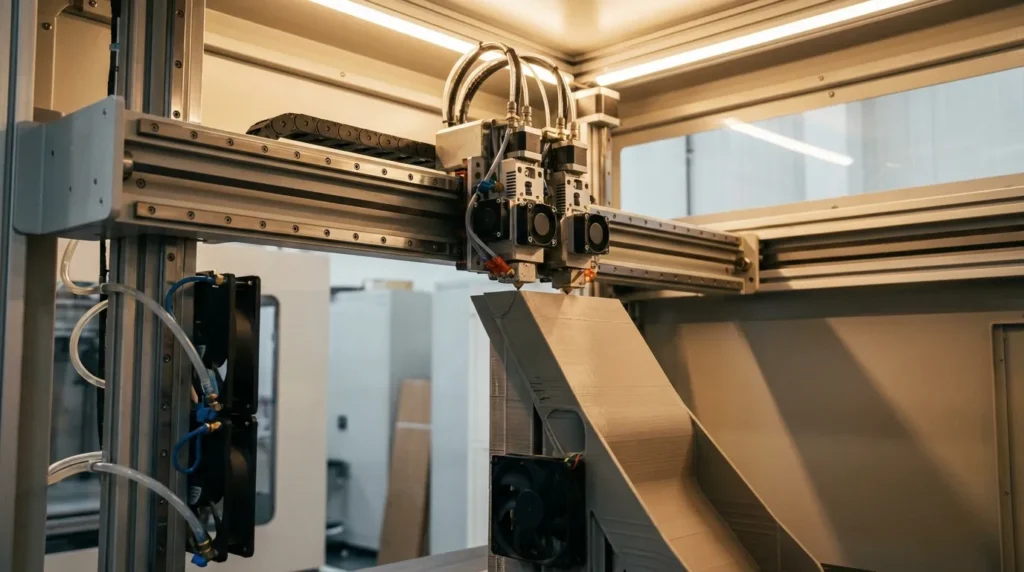
Optimizing Klipper Firmware for Enhanced 3D Printing Performance
High‑speed FDM printing looks good on paper, but in real workshops it gets messy (you’ve probably heard the stories). Pushing speed usually adds noise and vibration, which often leads to failed parts and short, frustrating runs. Many engineers reach a point where going faster starts to hurt accuracy, and that’s often where progress slows. This is where Klipper firmware changes things. Klipper was built to remove limits in traditional printer firmware. By splitting the workload between the controller and a small computer, it plans motion faster and controls it more tightly.
For Australian manufacturers and educators, including advanced users, this can matter more than it seems when deadlines are tight. Shorter print times cut lead times, better accuracy reduces reprints, and tighter control builds confidence in jigs and fixtures used as end‑use parts. This article explains how Klipper works and how it’s used for practical 3D printer optimization. It looks at motion control, tuning, common mistakes, and what’s next for high‑speed FDM.
Why Klipper Firmware Unlocks High-Speed FDM Printing
Traditional firmware handles everything on a small microcontroller, and that usually puts a hard limit on how fast motion can be calculated. Klipper firmware takes a different approach, and it fits this problem well. The heavy math moves to a single-board computer, while the printer controller focuses on running clean, accurate steps. On paper it sounds simple, but in practice it’s more involved. From my perspective, this split is what really makes the difference.
What matters most in everyday printing is how this setup removes bottlenecks that show up once acceleration increases, which most users have run into. Stuttering and delayed commands often go away. Motion paths are planned further ahead, cutting down on tiny micro-pauses between moves. Those pauses usually cause surface flaws and extrusion issues, including missed steps, especially when profiles get aggressive. These problems are annoying, and they tend to appear right when you try to push speed the hardest.
This isn’t just theory. Real-world testing backs it up. Klipper can reach 2 to 3 times faster print speeds than older firmware while still keeping tight tolerances. With the right hardware, setups can hit up to 500 mm/s. Dimensional accuracy around 0.1 mm is still possible at speed, which matters when parts need to fit together.
| Metric | Typical Value | Industrial Impact |
|---|---|---|
| Speed improvement vs legacy firmware | 2, 3× | Shorter production cycles |
| Maximum practical speed | Up to 500 mm/s | High throughput prototyping |
| Dimensional accuracy at speed | ≈0.1 mm | Reliable fit and function |
Kevin O’Connor, Klipper’s creator, explains its purpose plainly. The focus is on intent and clarity, not hype.
Klipper is an upcoming and popular 3D printing firmware that’s quickly becoming the standard in high-speed 3D printing.
For industrial users, this speed isn’t about bragging rights. It cuts cycle time and lowers cost per part. Faster planning usually means smoother, calmer motion and better surface finish, especially on tall or complex parts where small errors add up quickly.
Core Klipper Features That Drive 3D Printer Optimization
Klipper firmware includes several tools that help improve print quality at high speed. The biggest standouts are input shaping and pressure advance, and together they usually make the difference on fast machines, especially when pushing limits. I think this pairing is often what turns high-speed printing into something actually useful, not just impressive on a spec sheet.
Instead of slowing everything down to avoid artifacts, input shaping looks at frame vibration directly. Klipper predicts how the frame tends to move and offsets that motion, which works surprisingly well in real use. The result is higher acceleration with clean walls, often without endless tuning cycles. Pressure advance handles a different issue: how filament pressure builds and releases inside the hotend. When speeds change quickly, corners stay sharper and extrusion stays consistent instead of getting blobby, especially on small features.
There’s more beyond those main features. Advanced kinematics, detailed logging, precise step timing, and motion analysis tools give a clearer view of how the machine actually moves. Rather than guessing, engineers can review acceleration curves, timing, and errors in logs, which usually leads to more steady tuning than old trial-and-error methods.
Another plus is live configuration reload. Settings can be changed and tested without recompiling or rebooting, which you notice right away. In shared production spaces, less downtime during setup or calibration often leads directly to better output.
According to the Innocube3D technical team:
Due to the stronger computing power of the external single-board computer, Klipper firmware can perform motion planning and path generation faster, thereby improving printing speed and accuracy.
These features tend to work best on rigid platforms like RatRig V-Core systems. They fit well with linear rails and high-flow hotends that can keep extrusion steady without pressure swings, which is usually where Klipper shows its strengths.
Step-by-Step Approach to Tuning Klipper for Industrial Use
Good results with Klipper rarely come from default settings, especially in industrial environments. A clear tuning process usually makes the difference. The least exciting step comes first: mechanical checks. This is where many long-term problems begin. Belts need proper tension, and frames must be truly square, not just close. Even small twists tend to show up later in prints. Loose hardware limits what firmware can do, and tuning alone won’t fix that.
Once the mechanics are solid, motion limits matter more. Realistic max velocity and acceleration are far more useful than marketing numbers, which are often optimistic. Many industrial FDM machines perform best around 15,000 to 30,000 mm/s² acceleration. From there, input shaping is tuned with test prints. Klipper guides this process and helps keep results consistent, which is helpful when machines run every day.
Some teams also document resonance graphs and baseline profiles. This habit often pays off later. Records make maintenance and hardware changes easier to confirm and reduce stress during upgrades, helping teams get back to production faster.
With motion stable, extrusion tuning comes next. Pressure advance changes with material and hotend setup. PLA, PETG, and filled nylons all behave differently. Saving values per filament prevents guesswork later.
The final step is functional validation. Real jigs and fixtures matter more than demo parts. Measure fit and strength before approving the setup for daily use.
This approach is common in professional print farms. Teams use it to cut scrap, shorten setup time, and keep results consistent across machines and shifts.
Real-World Adoption and Common Mistakes to Avoid
Klipper has clearly moved beyond the experimental stage, at least in my view. One of the clearest signs is how many commercial high-speed printers now ship with it turned on by default. It’s no longer treated like a nice extra, which shows a real change in how it’s seen. According to SUNLU:
Klipper is the most suitable firmware for high-speed 3D printing. Many high-speed 3D printers, including the Creality K1 series, Flashforge 5M, and Twotrees SK1 use Klipper as their firmware.
Across Australian workshops, Klipper keeps appearing in rapid prototyping cells and education labs. TAFEs and universities often lean toward its open design and clear inner workings. That openness usually helps students understand how modern digital manufacturing actually works, instead of learning on a sealed black box, which is often harder to learn from in real-world use.
Adoption alone doesn’t guarantee better prints. A common mistake is pushing higher speeds without improving cooling. High-speed printing often needs stronger part cooling and steady hotend temperatures, or warping and weak layer bonding can show up fast. Speed comes with trade-offs.
Another issue is skipping resonance testing after hardware changes. Swapping a toolhead, fan, or extruder motor can change vibration behavior slightly, and input shaping often isn’t checked again.
Copying settings from another machine might seem like a shortcut, but it’s risky. Klipper usually works best with tuning done for each specific printer, since every machine behaves a bit differently, both mechanically and thermally.
Advanced Considerations for Continuous and Production Printing
On long production runs, thermal stability often matters just as much as speed, and in many cases even more. Klipper quietly watches timing and communication while a job is running. If clock drift or latency starts to appear, it shows early warnings. That early signal lets operators step in before surface quality drops or a print fails hours into the run, which is usually the worst time for something to go wrong.
For larger setups, multi‑MCU configurations are worth a look. Big machines with IDEX systems or tool changers often run better when control is split across several boards, and it’s usually simpler than expected. Klipper supports this smoothly, which works well for dual‑extrusion printers using soluble supports or multiple materials.
Uptime often gets better when printers connect to monitoring tools. Webcams and remote dashboards make problems easier to spot and jobs easier to manage, even from far away. Klipper’s open ecosystem helps here, making it simpler to tie printers into wider digital workflows without much extra effort.
Looking ahead, more hardware is matching what Klipper already handles well. Servo extruders and high‑flow nozzles are pushing higher acceleration without losing accuracy in most setups. This trend fits well with Industry 4.0 workflows, where faster iteration and tighter feedback loops show up in daily work.
Putting Klipper Into Practice With the Right Hardware Partner
What makes Klipper stand out is how well everything works together when the hardware is a good match. Firmware on its own usually isn’t the full answer. Solid frames, reliable motion parts, and well‑tuned electronics often matter more than people expect. Over time, good integration and ongoing support usually matter more than chasing small performance gains. The little details really add up. That’s why many professionals choose pre‑integrated systems or expert‑built upgrades instead of putting everything together piece by piece, which can save a lot of time and frustration.
For Australian businesses, working with a local supplier often lowers risk and cuts downtime quickly. When issues come up, fast access to spare parts makes a real difference, especially during busy periods. Local teams can also offer setup help and practical advice that fits local materials and real working conditions.
Experienced partners can pre‑check Klipper profiles for common jobs, which often speeds up commissioning. This is helpful when rolling out several printers or moving from early prototypes to short‑run production. Klipper also scales well, with similar tuning ideas working from one printer up to a small production setup.
The Bottom Line for High-Speed, High-Precision Printing
One of the most interesting changes Klipper brings is that optimisation becomes easier to see and understand. Instead of guessing, engineers can see why a change works, repeat it later, and keep results steady as machines age or workloads shift, which often happens sooner than people expect. That clearer feedback leads to fewer “why did that fail?” moments and more confidence with each tweak.
Klipper firmware has become the go-to choice for serious FDM performance, and that makes sense. By removing common processing limits, it allows real printer tuning and puts more control where engineers usually want it: in their own hands. With careful setup, prints run faster, surfaces look cleaner, and finished parts usually keep their dimensions better.
For industrial engineers and educators in Australia, the benefits are often clear. Lead times drop, cost per part goes down, and confidence in printed tools and fixtures improves. Balance still matters. Klipper works best with solid hardware and tuning based on real shop-floor or lab use. Starting with one machine and keeping good notes helps when that printer is producing reliable fixtures on the floor or in the lab.
