
Table of Contents
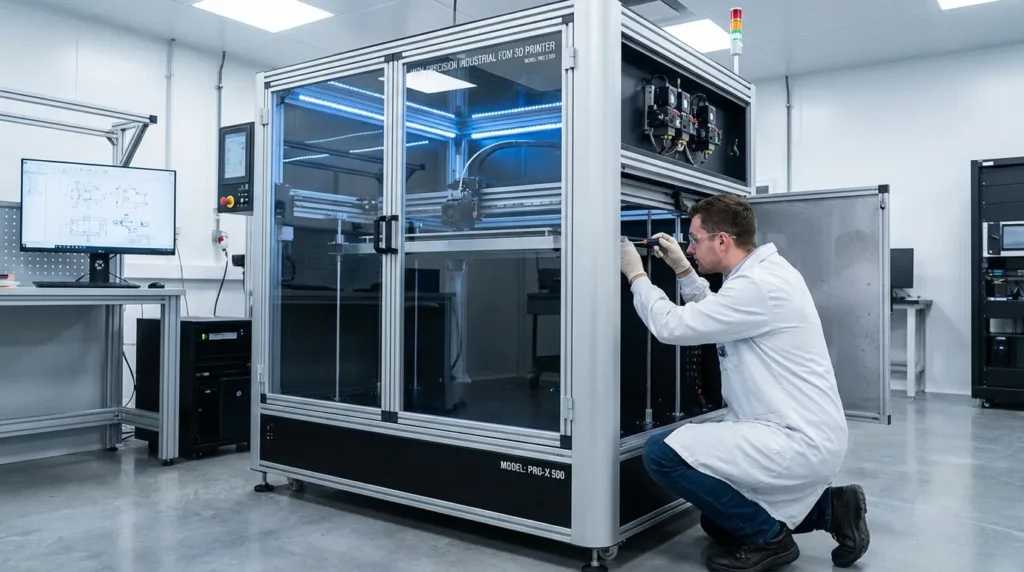
Maintenance Best Practices for High-Precision FDM 3D Printers
Real production pressure is pushing high‑precision FDM 3D printers into Australian manufacturing, engineering, education, and hobby spaces. Parts need to fit right on the assembly line, which is why these machines keep showing up on factory floors. They’re used for functional prototypes, jigs and fixtures, tooling, and low‑volume runs, and they rely on tight tolerances, smooth motion, steady extrusion, and careful heat control. That mix matters most during long or back‑to‑back jobs. Without regular upkeep, even top systems can drift and cause downtime. That’s why this article looks at practical maintenance basics like calibration, nozzle care, and motion checks for labs or classrooms running all day.
Understanding Why Maintenance Matters in High-Precision FDM 3D Printers
High-precision FDM 3D printers don’t act like entry-level machines. With rigid frames, advanced motion systems, high-flow hot ends, enclosed chambers, and smarter electronics (the kind you usually see in pro shops), they’re built to move fast and keep tight tolerances. That’s the draw. But it also means they respond fast to wear, dust, or calibration drift. Small problems tend to show up early, sometimes sooner than you’d expect, and they’re tough to brush off.
In industrial and professional settings, even small deviations often turn into real headaches, I’ve seen it plenty of times. A slightly misaligned gantry can throw off mating parts, and uneven extrusion can weaken load-bearing prints. That leads to downtime. Schedules slip, classes get disrupted, and the impact adds up. For that reason, preventive maintenance isn’t optional in my book. It’s the baseline for daily use, especially during long production weeks.
A well-maintained printer usually delivers:
- Steady dimensional accuracy across long print runs
- Reliable material flow at high speeds, even with tough materials
- Less scrap and rework during normal operation
- Parts that last longer and break less often
- Predictable production planning your team can count on
Establishing a Maintenance Schedule for FDM 3D Printers
The biggest help is fewer surprises: a clear schedule cuts the guesswork. For high-precision FDM 3D printers, daily to quarterly tasks should fit how much the machine runs and which materials it uses. Avoiding wait-for-breakdowns usually keeps upkeep simple.
Daily and Pre-Print Checks
Short, regular inspections can prevent common failures on busy machines. What usually matters most is spotting small issues before a long print begins. Simple habits (nothing fancy). When operators rush, problems often show up halfway through a print.
- You can catch issues by checking the build surface for damage or warping, since even tiny spots can cause trouble (especially near the center)
- A helpful step is taking a moment to check the nozzle for cleanliness, making sure no leftover filament is stuck to it (that buildup often causes blobs)
- Is the filament dry and feeding smoothly? Check that it’s stored in sealed containers and free of tangles (humidity is usually the problem)
- Try listening for odd noises from motors and belts while the machine moves (clicking or grinding is a clue)
- Before starting a print, confirm the chamber temperature is set right and cooling systems are working as expected (fans usually give it away), like a fan that never spins up
Weekly Maintenance Tasks
Catching small wear early is usually the biggest win with weekly maintenance (nothing fancy). It also helps keep everything clean.
- Keep the build plate clean, using simple methods
- Check for debris around the extruder and the fan/electronics area, and clear it out
- How are the belts holding up? Look for fraying or slack tension
- Take a quick look at cable chains; check wiring for wear or rubbing (it happens)
- Skim print logs and note repeat errors or strange quality issues
Monthly and Quarterly Servicing
The most interesting part is how vibration slowly builds over time, so at longer intervals it’s usually time for deeper maintenance, just not every month. You’ll often find belts need re‑tensioning, and pulley set screws can work loose. A good approach is to lubricate linear rails, lead screws, guide rods, and bearings as specified. What about the frame? Fasteners there tend to drift. After long runs, the heater cartridge and thermistor are worth checking, then wrap up with a full calibration, including steps you might skip, like fine extrusion tuning. For more detailed methods, see our Ultimate Guide to FDM 3D Printer Calibration Techniques.
Motion System Care: Accuracy Starts with Mechanics in FDM 3D Printers
Usually, the motion system is the backbone of an FDM 3D printer, and when it slips, problems spread fast (it happens). You’ll often see ringing on quick moves, layer shifts, size errors, or parts coming out skewed.
Belt and Pulley Maintenance
At higher print speeds, belts and pulleys tend to take more wear than you might expect (most shops have seen this firsthand). What keeps them running smoothly is paying attention to small setup details. Belts should be:
- Set to the manufacturer’s tension spec for your printer (often checked by frequency)
- Checked for cracks or missing teeth, which usually show up first on older or overworked belts
- Kept clean to prevent slipping, which often appears during fast moves
- Lined up with the pulleys to reduce edge wear
Pulley set screws need to stay tight and lined up with the motor shaft flats. Even one loose pulley can cause positional errors (layer shifts) that are surprisingly hard to track down. Frustrating stuff.
Linear Rails and Bearings
Many printers use linear rails instead of basic rods, and they need a clean area and proper lubrication (no surprise there). When dust, bits of filament, or old grease build up, friction tends to increase and print accuracy can drop.
Best practices include:
- Clean rails with a light coat of lube usually work best
- Stick to lubricants the manufacturer recommends
- Adding extra grease can attract dust and debris
In workshops with lots of dust or high humidity, inspections should happen more often, so it’s smart to check them regularly.
Extrusion System Maintenance for Consistent Flow in FDM 3D Printers
And the extrusion system keeps material consistent, which is often why surfaces look cleaner, parts fit better, sizes stay tight, and reliability gets better (you’ll notice).
Nozzle and Hot End Care
Print quality often drops before nozzle wear is easy to see, especially with abrasive filaments like carbon fibre, glass-filled nylon, or metal blends. A few simple habits help over time, and in my experience problems show up less often.
- Quick visual checks for ovalisation
- Cold pulls when residue builds
- Replace nozzles to match materials
- Keep a spare for swaps
Hot end parts also need regular checks, since small problems usually appear during normal use.
- Stable temperatures and secure interfaces
- Watch for leaks or heat creep
Extruder Gears and Feed Paths
Drive gears slowly pick up filament dust, which reduces grip and can cause under‑extrusion, it creeps in and gets frustrating. A simple fix is cleaning them with compressed air or a soft brush; feeding usually stays steady after. Why care about bends? Added resistance tends to show up when running at higher speeds.
Build Surface and Bed System Reliability
But consistent first layers matter a lot for precise work, especially here.
Poor adhesion and uneven surfaces often ruin prints, so you can’t really ignore them.
Build Plate Maintenance
Depending on the surface type, upkeep is usually basic, and stays simple (nothing fancy). A light scuff often brings back grip. One option is gentle cleaning to remove oils and residue. Check the surface now and then for wear. Replacing consumable build plates once they’re worn out helps. Just don’t mix cleaning chemicals without guidance, leftover residue can ruin adhesion and damage coatings.
Bed Leveling and Tramming
For production‑grade printing, it’s usually better to check bed flatness with test prints instead of trusting sensor readings alone, and not just once, like a simple first‑layer square. Even with automatic bed leveling systems, mechanical tramming still matters, since regular checks keep sensors working well and help deal with slow mechanical drift (yeah, it happens). Checking it often usually helps, I think.
Electronics, Firmware, and Sensor Health
It’s usually precision hardware, so it needs stable electronics and sensor feedback you can rely on in most cases.
Cooling and Environmental Control
Electronics generate heat, especially during long, high‑speed prints. I find that clean fans and filters help heat escape and protect parts (easy to forget). With enclosed printers, keeping electronics cooling separate from hot build chambers matters more as temps rise.
Firmware and Calibration
After major maintenance or a firmware change, calibration usually needs another pass to stay accurate. Common calibration tasks include:
- Steps per millimetre
- Flow rate (this often shifts after hardware work)
- Checking temperature accuracy
- Input shaping or vibration compensation
Firmware updates can improve motion and thermal control, safety features, and reliability, but they work best when planned and tested, not dropped straight into production runs.
Material Handling and Storage in Australian Conditions
Australia’s climate can swing fast, and humidity is often the main headache, especially in summer. I find this hits hygroscopic filaments like nylon, TPU, PETG, and even PLA more than many people expect. Poor storage can quietly undo solid printer tuning sooner than you’d think.
- You’ll notice sealed, dry containers make the biggest difference when reels are sitting unused
- After long breaks, active drying systems can help sensitive materials get back to usable condition
- Simple labels with drying dates and recent use notes help cut down on guessing
- Why risk it? A quick moisture check before loading can stop a brittle PLA print from snapping halfway through
For more material care insights, check our Essential Guide to FDM 3D Printer Setup and Optimization.
Documentation, Training, and Continuous Improvement
High-precision FDM printing feels hands-on day to day, but it still needs organized, regular care.
Maintenance Logs
When teams keep maintenance notes on repairs, replaced parts, wear signs, and odd issues, you can usually spot repeat patterns and guess lifespans over time. This helps across universities, TAFEs, labs, and workshops.
Operator Training
Even advanced printers can get damaged by poor handling (it’s common) from small mistakes. When operators learn early warning signs, proper shutdowns, and upkeep, it usually reduces reactive repairs, so you get fewer surprises.
Reviewing Print Outcomes
Regularly checking failed or borderline prints often shows maintenance gaps that are easy to miss. I think people skip this step. Dimensional drift, surface artefacts, extrusion hiccups, and layer shifts usually point to parts that need checking soon.
Conclusion: Protecting Precision Through Proactive Care for FDM 3D Printers
High-precision FDM 3D printers are an investment, it’s the machine itself and the daily workflow you rely on. They aren’t cheap. For Australian engineers, manufacturing professionals, educators, and hobbyists, regular maintenance is usually what turns that cost into real value over time (and it’s easy to overlook).
What often works best is setting clear maintenance schedules and taking care of motion parts and extrusion hardware, belts, rails, and nozzles, while also keeping an eye on materials so moisture or wear doesn’t sneak in (which can happen without much warning). Small, frequent checks usually beat major repairs, especially when running at higher speeds. Notes get written down, accuracy and uptime stay steady, and swapping a nozzle before a long print can save hours later.
For further reading on keeping your equipment at peak performance, see our related article FDM 3D printer maintenance: Essential Practices for Reliability.
