
Table of Contents
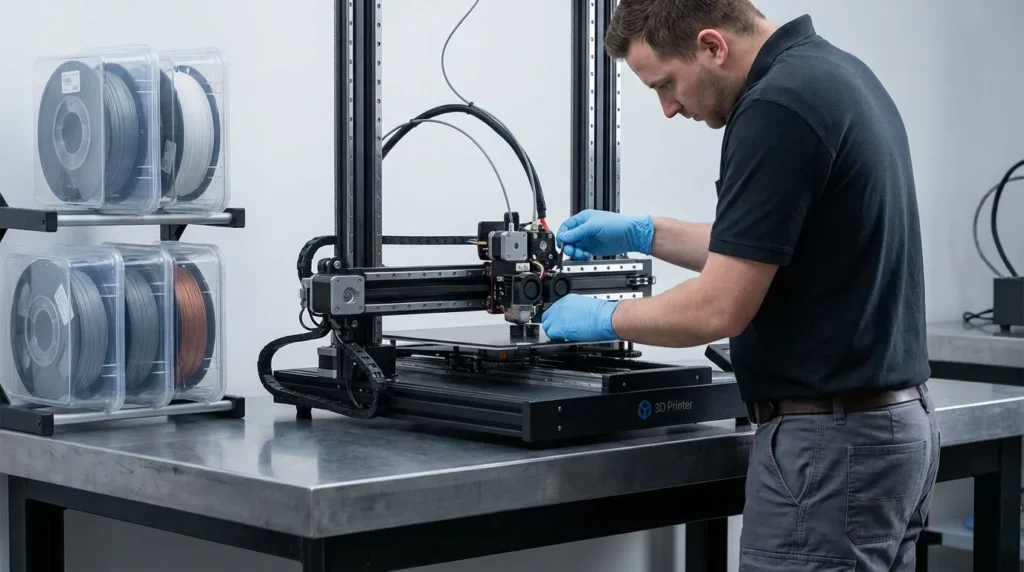
Industrial 3D Printing Maintenance for Longevity: Best Practices
Industrial 3D printers are made to handle tough, nonstop work. In factories, labs across Australia, and busy training rooms, they often run for long hours on tight schedules, sometimes printing job after job with barely a break. Long days are normal. Even so, even the strongest industrial 3D printers usually won’t last if they’re ignored. Poor maintenance often leads to downtime, failed prints, and repair costs that climb fast. This kind of disruption tends to hurt the most when deadlines are close and teams are waiting on parts to come off the build plate, which many people know all too well. The pressure is real.
The good news is that most breakdowns can be avoided. With a few steady habits and a clear routine, it’s often possible to keep a printer running well for years longer. Print quality also stays more consistent, even on high-speed FDM systems that run daily with very little rest, which is common in many workplaces. This matters even more with advanced setups like CoreXY motion systems, IDEX dual extrusion, larger toolheads, and production-grade materials that put extra load on parts. From experience, regular care is usually what separates smooth operation from early wear.
This guide shares practical best practices for maintaining industrial 3D printers, based on real-world use rather than theory. It looks at how long these machines typically last, which parts tend to wear out first, how maintenance can fit around production instead of stopping it, and where small checks often make a big difference. It also looks at trends like predictive maintenance and what they really mean for Australian manufacturers running modern print operations day to day, focusing on what’s useful rather than the hype.
Why Maintenance Defines the Lifespan of Industrial 3D Printing Systems
Industrial 3D printers are built to run for years, not just get through a few short projects. They’re usually part of ongoing production, which is why care matters so much. With regular upkeep, many systems stay useful for 10 years or more, and industry data often puts the usual lifespan between 5 and 15 years. In well-run settings, higher-end machines often reach 20 years, especially when solid habits are followed. It’s also common for printers to pass 10,000 operating hours when maintenance stays on track.
| Metric | Value | Notes |
|---|---|---|
| Typical lifespan | 5, 15 years | Up to 20+ years with strong care |
| Operational hours | 10,000+ hours | With preventive maintenance |
| MRO market size | USD 2.67B | 2025 estimate |
| MRO growth rate | 6.88% CAGR | 2025, 2035 |
Rising maintenance budgets around the world aren’t random. Printers are now handled more like CNC machines, with planned checks and routine service instead of guesswork. Preventive care usually leads to fewer surprise breakdowns and less disruption to production, which makes schedules easier to rely on.
Reputable companies, like UnionTech, treat their printers as long-term production assets capable of running for many years, often exceeding 10,000 hours of operation when properly cared for.
For Australian manufacturers, this is even more noticeable. Downtime adds up fast when parts have to travel long distances and service delays drag on. A solid in-house maintenance routine helps lower that risk and keeps daily production moving.
Building a Preventive Maintenance Routine That Actually Works for Industrial 3D Printing
Preventive maintenance often sounds harder than it really is. The goal is simple: spot wear early, before it turns into a breakdown. From my experience, routines work best when they follow clear time or usage triggers instead of guessing or rushing fixes at the last minute, which often cause more trouble. There’s nothing mysterious about it, and most teams feel more in control sooner than they expect.
A great place to start is with daily and weekly checks. Cleaning build plates and clearing debris from rails and belts is usually faster while everything is still warm. It also helps to pay attention to loose screws or unusual noises. These small signs can point to bigger problems, even if they seem minor at first. A few minutes here can save hours of downtime later.
Monthly tasks go a bit deeper. Check belt tension and pulley alignment together. Look over wiring near hot areas, and clean fans and filters so airflow stays steady. On high‑speed FDM systems, this matters even more because faster movement adds extra stress.
Quarterly or biannual work includes lubricating linear rails and lead screws, along with a full check of the gantry and sensors. Keeping a simple log of dates, changes, and replaced parts is enough. Over time, clear patterns start to appear.
Preventive maintenance has established itself as a dominant force in the 3D Printer Repair and MRO Services Market, providing businesses with scheduled interventions to avert equipment failures and ensure consistent operational efficiency.
A routine also helps with training. New operators learn what “normal” looks like faster, which often cuts down on accidental damage and missed warning signs, especially at the beginning.
Motion Systems and Mechanics: The Backbone of Precision
At the center of any industrial 3D printer is the motion system, and you can usually see its influence in every finished part. Rails, belts, bearings, and motors guide accuracy from the first layer to the last. From my experience, print quality often depends on how smoothly these parts move together. When wear starts to show, results can drop fast, often with little warning. That’s especially annoying when a long print is already underway.
Belts usually take the most abuse. In production settings, they’re often replaced every 6 to 18 months, depending on how hard the machine runs. As soon as a belt loosens or wears unevenly, layer shifts and ghosting can show up. You’ll often spot it first in the surface finish. Regular tension checks aren’t exciting, but they do a good job of stopping bigger issues before they start.
Linear rails and bearings last longer, often 5 to 7 years, as long as they stay clean and properly lubricated. Dust, filament bits, and dried grease slowly add friction, which puts extra load on motors and can lead to missed steps.
High-speed CoreXY machines usually need more frequent checks than slower printers. Faster acceleration means higher forces across the frame, so small alignment problems tend to appear sooner. Keeping the gantry square and checking rails regularly helps keep motion consistent over time.
Some maintenance mistakes still cause avoidable trouble. Over-lubrication is common, and mixing grease types is another. Too much grease pulls in dirt, and incompatible products can harm seals. Using one approved lubricant and applying it sparingly is usually the safest approach.
Extrusion and Hot End with Filament Handling Best Practices
Most print failures can be traced back to extrusion problems, more often than almost any other issue. Nozzles and feeders deal with constant heat and abrasion every day, so it’s a tough job by default. When basic care slips, wear shows up quickly, which most people have likely dealt with at some point. That part usually doesn’t come as a surprise.
Once abrasive filaments are involved, nozzle choice matters a great deal. Brass nozzles can wear out within one to three months when used with carbon fibre, glass-filled, or metal-filled materials. Hardened steel or ruby nozzles are commonly used instead because they hold up better under that kind of use. They do cost more up front, but the longer lifespan often evens things out over time.
Cold pulls and quick visual checks often catch problems early. Buildup is much easier to fix before it turns into a mid-print clog. It also helps to keep an eye on heater cartridges and thermistors. Loose sensors usually cause temperature swings, which can weaken layers at the worst possible moment.
Filament handling matters just as much, and often more than people expect. Moisture leads to bubbling and rough surfaces, which results in weaker parts. Nylon and PETG react faster than most materials, so industrial setups often use sealed storage or active dryers.
We believe UltiMaker users should be able to depend on their tools for years to come. UltiMaker printers have served our clients for a decade.
With multi-material and IDEX systems, cleanliness becomes even more important. Idle nozzles can ooze and contaminate other materials if they’re ignored, and regular cleaning keeps tool changes smooth and predictable, something users tend to notice right away.
Firmware and Calibration for Smarter Maintenance Strategies
Maintenance usually isn’t just about turning wrenches, especially when long‑term performance is the goal. Firmware and calibration often matter just as much, and sometimes more than people expect. Systems running modern firmware like Klipper can offer smoother motion control and helpful diagnostics. Things like graphs and logs make problems easier to see, but that benefit only appears when everything is tuned properly. It may sound minor, but it makes a real difference in day‑to‑day industrial 3D printing operations.
When motion settings or temperature profiles drift, motors and heaters have to push harder to keep things running. That extra load usually leads to quicker wear over time. No real mystery there.
A lot of change right now comes from predictive maintenance. Many industrial users rely on sensors that track temperature and vibration linked to motor load. Small changes that show up slowly often point to issues well before something fails, which is the whole goal as uptime matters more.
For Australian users, this works well with remote monitoring and smaller on‑site teams. Avoiding surprise shutdowns during specific production jobs means less stress, honestly.
So what helps day to day? Careful firmware updates tend to reduce surprises later. Testing profiles after any change helps. And keeping documentation makes it easier to spot patterns over time.
Putting These Practices Into Daily Operation
Industrial 3D printing is moving deeper into real production, where jigs, fixtures, and end‑use tooling actually need to last. In that setting, long printer life usually comes down less to luck and more to daily habits. Maintenance affects total cost of ownership in quiet ways. A worn belt or used nozzle isn’t expensive on its own; lost production time is where frustration, and real cost, tends to show up.
You’ll notice that cleaning machines as part of the daily routine, and checking parts regularly (even when it feels repetitive), pays off over time. Storing filament the right way helps as well. It also helps to train operators to notice small changes like unusual sounds, slight motion changes, or drops in extrusion quality. Those details are easy to miss and often only stand out once something is already wrong.
A practical approach is to start with a simple maintenance schedule that fits how much you print, then review it every few months as machines age or usage increases. Don’t overthink it. If you run high‑speed or dual‑extrusion systems, discipline matters even more. These printers deliver strong performance, but only when steady daily care keeps output consistent, no shortcuts, even on busy days.
