
Table of Contents
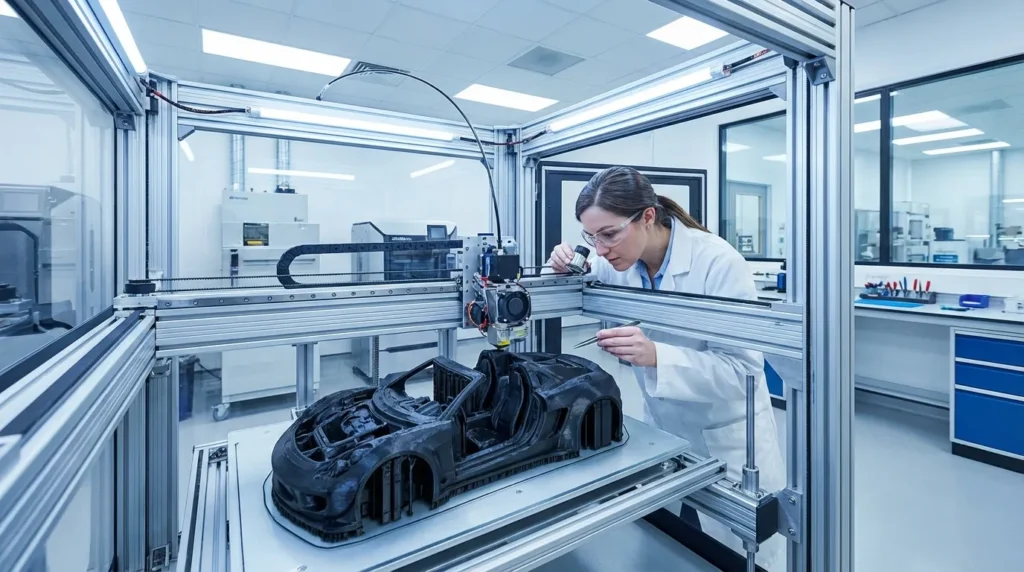
FDM 3D printer maintenance: Essential Practices for Reliability
Keeping an FDM 3D printer in good shape isn’t just about avoiding those sudden “uh-oh” breakdowns, it’s also about meeting the speed, accuracy, and consistency goals you set for each print. All over Australia, industrial engineers, manufacturing specialists, and seasoned hobbyists often find that a bit of smart care, such as following a consistent FDM 3D printer maintenance routine, can mean the difference between smooth, reliable runs and those frustrating days when nothing works right. This guide focuses on the practical stuff, ways to protect your machine, keep prints sharp, and help it produce quality results for years without expensive downtime.
Whether you’re cranking out projects with a RatRig V-Core powerhouse, a quick IDEX dual extrusion setup, or another sturdy FDM machine, small routines can make a big difference. Cleaning the nozzle, checking for filament tangles, keeping the bed level, oiling moving parts, staying current with firmware, and making sure the workspace is safe all matter. You’ll also see how newer options, like predictive maintenance and AI-based diagnostics, are quietly becoming part of daily use, giving a peek at what’s next for 3D printing.
Preventive maintenance is the single most effective way to reduce downtime in industrial 3D printing operations. Ignoring nozzle and filament path cleanliness can lead to cascading failures and costly delays.
Understanding the Stakes in Industrial FDM 3D Printer Maintenance
In a busy industrial shop, a machine sitting idle isn’t just a small hiccup, it can throw off delivery schedules, cut into profits, and leave the team scrambling to fix things at the last minute (most production managers know this feeling well). With the FDM 3D printer market expected to hit USD 30.55 billion by 2025, keeping printers running smoothly through effective FDM 3D printer maintenance has become something worth protecting. Research shows nozzle clogs cause about 80% of print failures, which is a huge number when you think about the chain reaction it can cause. Skip one maintenance check and you might stop an entire production run. In high-output environments, even short downtime can mean losing thousands in production value. That’s why using data-based maintenance plans is so helpful, they spot problems early, allow quick repairs, and keep production on track.
| Issue | Impact | Frequency |
|---|---|---|
| Nozzle clogs | 80% of print failures | Weekly checks |
| Bed misalignment | Poor adhesion & warping | Before major prints |
| Dirty filament path | Under-extrusion | Monthly inspections |
The table shows how some problems happen much more often than others, making them smart places to focus first. Checking important parts regularly usually prevents small issues from turning into expensive breakdowns. Less frequent problems can be included in planned inspections so they don’t surprise you mid-workflow. It’s a steadier, easier way to keep everything moving. For more insights, see Industrial 3D Printer Maintenance for Continuous Operation.
Nozzle Cleaning and Filament Path Care in FDM 3D Printer Maintenance
If you want sharp, steady extrusion, the nozzle often ends up being the main focus. Melted filament can leave tiny hardened bits inside, slowly blocking the flow, kind of like how a coffee maker gets clogged over time. In busy shops or when printing a lot, making nozzle cleaning a weekly habit can save you from future problems. A quick scrub with a brass brush clears surface buildup fast, while an ultrasonic cleaner can handle stubborn gunk inside. Printing with tough filaments like carbon-fiber or glass-filled blends? You’ll likely need to change nozzles more often, since these materials slowly widen the opening and can make prints look rough or out of shape.
The filament’s path, from spool through tubes and gears into the nozzle, is longer than most people think, and every part can gather dirt. Dust and tiny bits often hide in Bowden tubes or stick to drive gears, quietly messing with feeding. Checking tubes before cracks or bends show up is a good move. On open-frame printers, a small sponge filter around the filament catches most particles. And if your space is dusty, even a basic cover or simple enclosure can help. A clean path means smoother feeding, less strain on parts, and with abrasive filaments, longer-lasting components. For enclosure tips, see 3D Printer Enclosure Setup for High-Speed FDM Printing.
Bed Leveling and Surface Preparation in FDM 3D Printer Maintenance
Keeping your print bed level is one of those small habits that can make a big difference, especially for getting the first layer to stick well and keeping your prints the right size. When the bed is even, corners line up neatly and you avoid strange bulges or gaps. Even a slight tilt or dip can mess things up, often causing warping or layers to pull apart halfway through. Many industrial FDM printers have auto-leveling sensors, but these can drift over time or miss small mechanical changes that happen between prints.
Before starting a long print, it’s helpful to use a feeler gauge or thin card to check several spots on the bed. If you use mesh bed leveling, recalibrating every so often helps offset wear, heat cycles, and small shifts that build up without notice. In shops with multiple printers, a shared checklist can keep results steady and cut down on troubleshooting later.
Clean surfaces are just as important. Finger oils, old glue stick, or dust can wreck adhesion fast. A quick wipe with 70%, 90% isopropyl alcohol before important prints works well. PEI sheets need gentle care, while glass beds may need scraping off stubborn tape residue, simple steps that often mean fewer failed prints and a smoother workflow.
Lubrication of Moving Components in FDM 3D Printer Maintenance
In industrial FDM printers, parts like linear rails, lead screws, belts, and sometimes extra guide rods do the work of keeping movement smooth and prints sharp. After many hours of use, friction can sneak in, starting as a faint hum or slight vibration, then showing up as small flaws on the print surface. Following the lubrication schedule in the printer’s manual helps keep rails sliding easily and screws turning without strain. For printers running daily in production, these parts go through more wear than many realize, so regular care makes a big difference.
A good method is to use a light machine oil or the grease your manufacturer suggests, about every 250 print hours for rails and screws. Too much oil can pull in dust, so keep it light. Check belts for frays or looseness, swapping them early avoids bigger problems. In dusty spaces, wipe rails before oiling to keep grit out of bearings, saving you from expensive downtime. Just a few careful minutes can lead to hundreds of smooth, trouble‑free hours.
High-performance FDM systems now come with predictive maintenance alerts, but operators must still conduct manual inspections to ensure accuracy and repeatability.
Firmware Updates and Predictive FDM 3D Printer Maintenance
Many newer industrial FDM printers now come with smart predictive maintenance tools built in. Sensors quietly keep track of things like how steady the nozzle temperature stays, changes in filament feed resistance, and small vibration patterns you’d probably never notice on your own. If those readings start to stray from normal, the system usually sends you an alert, giving you time to adjust or fix things before a small problem turns into a big breakdown.
Keeping firmware up to date makes these tools work better. A handy method is to update both the printer’s firmware and slicer software so they can work with new filament types and enjoy smoother motion control. Sometimes stubborn issues, like uneven heating or messy extrusion, get solved by these updates. Some versions even add new diagnostics, helping you spot print flaws or wear earlier than before.
Updates rarely mess with your setup, but backing up settings first is wise. With fresh firmware and sensor data working together, the printer often runs more smoothly, fixes are easier, and finished parts tend to have cleaner, sharper detail.
Environmental and Safety Considerations
Using FDM printers, especially with materials like ABS, ASA, or other engineering-grade filaments, often means dealing with ultrafine particles (UFPs) and volatile organic compounds (VOCs). In a workshop where the machines run most of the time, good airflow isn’t just nice, it’s part of keeping the space safe. Around 5 to 10 fresh air changes per hour usually keeps fumes from lingering longer than they should.
Enclosed printers work better when they have both activated carbon and HEPA filters: carbon helps trap gases and smells, while HEPA catches fine particles in the air. In busy setups, filters lose effectiveness quickly, so swapping them on schedule, or even a bit earlier, can avoid trouble. Air quality sensors can be really useful here, letting you know when filtration isn’t doing its job.
Clean air is only part of the picture. Consistent conditions inside the printer matter too. Dust can block moving parts, big temperature changes can hurt accuracy, and moisture in filament can lead to weak, rough prints.
Building a FDM 3D Printer Maintenance Routine That Works
The best maintenance plan blends right into your normal workflow so it doesn’t feel like an extra burden (because let’s be honest, no one wants more chores). In a busy print space, daily care might just mean brushing off the print bed or spotting if the nozzle has picked up any residue, often it’s a quick look while the printer is warming up. Weekly check-ins take a bit more time: clearing the filament path, giving the nozzle a good clean, adding a small amount of lubricant, and tightening any loose parts. It helps to fit these tasks into slower periods so production keeps moving smoothly.
Once a month, or every other month if prints are coming out great, do a deeper tune-up. This might involve adjusting belt tension, re-leveling the bed mesh, and testing safety features like thermal cutoffs. Keeping a log in a notebook or app makes it easier to spot wear early and swap out parts before they fail. Many printer dashboards make tracking simple.
Eco-friendly habits help too. Use biodegradable cleaners, recycle failed prints, and find creative uses for leftover filament. Disposing of old materials properly cuts clutter, reduces waste, and keeps the workspace safer for everyone.
Making FDM 3D Printer Maintenance Work for You
When you take good care of an FDM 3D printer, you’ll usually get cleaner prints, fewer problems, and a smoother process, helping you avoid the headache of sudden breakdowns. Spotting small issues before they grow often means less downtime, sharper layers, and a machine that still feels reliable years later. Whether it’s a single compact desktop model or a busy lineup of industrial machines, steady upkeep through proper FDM 3D printer maintenance is what keeps prints looking the way you want.
A simple way to make this happen is to work maintenance into your routine: quick daily checks for stray filament, a weekly wipe-down with a bit of lubrication, and a deeper monthly inspection to clear dust and look over belts. With predictive monitoring and AI-based diagnostics becoming more common, spotting trouble early is much easier. Combine those tools with your regular habits, and you’ll enjoy smoother printing sessions.
It’s like protecting your materials budget, less waste, consistent results, and a printer you can count on for years. For more advanced techniques, explore Ultimate Guide to FDM 3D Printer Calibration Techniques.
