
Table of Contents
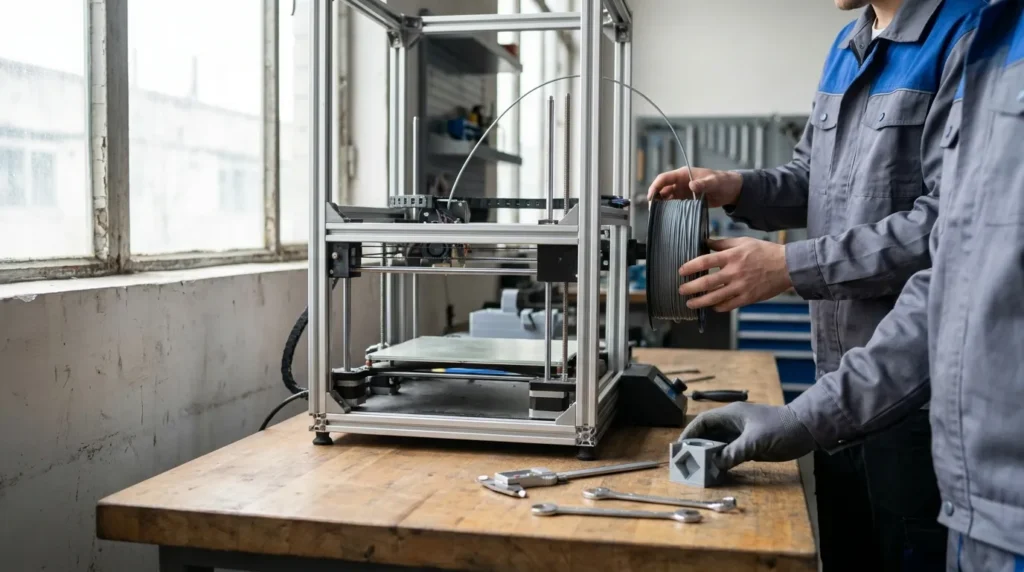
Essential FDM 3D Printer Setup Guide for Beginners
Getting started with an FDM machine looks easy at first: unbox it, load filament, hit print, done. But in real use, the quality of the result depends on setup. A fast industrial printer or a high-precision desktop unit is only as good as that first calibration, especially for engineers, manufacturing teams, technical educators, and serious hobbyists who need repeatable parts instead of test models that just look good.
This beginner guide goes through the setup process in a practical, clear way. It covers where to place the machine, how to inspect the frame, what to check in the motion system, how to level and calibrate it, and how to choose good starting materials. It also points out common early mistakes that can easily waste a day. Thermal control matters too, along with how firmware tools like Klipper fit into a more advanced workflow. For anyone building a machine for prototyping, tooling, or short-run production, these early steps can save time, cut waste, and improve print quality right from the start.
Start with the Right Printer Environment
The setup matters before the printer even starts. FDM machines usually work best in a consistent space with low dust, stable room temperature, and enough room to load filament or service parts, which is easy to overlook. That matters even more in workshops and teaching labs, where the environment changes more often. Air movement, vibration, and even people walking past can affect results. Wevolver’s current engineering guidance also says that printer performance still depends a lot on proper calibration and setup, even as hardware and materials keep getting better.
The physical environment directly affects print quality, uptime, and reliability.
| Setup Factor | Why It Matters | Best Starting Point |
|---|---|---|
| Bench stability | Reduces ringing and layer shift | Heavy, level workbench |
| Room temperature | Helps layer bonding and bed adhesion | Stable indoor temperature |
| Airflow control | Prevents warping on technical materials | Keep away from open fans and drafts |
| Service clearance | Makes maintenance easier | Leave space on all sides |
Beginners do not need a perfect lab. What helps most is a controlled space that makes repeatable results easier and reduces frustration. A rigid table is a good place to start, and the machine should not wobble during use. It also helps to keep the printer out of direct sunlight and away from doors that open often. Planning to print ABS, ASA, nylon, or carbon-filled materials? Think about enclosure needs and safe ventilation early. For industrial users, checking power quality and adding surge protection can also be a good idea, especially if the printer will be running long overnight jobs.
Product choice matters here too. Users in Australia looking for high speed, precision, and room to upgrade may find brands such as Raven 3D Tech a better fit for a professional FDM workflow, with reliable motion systems, advanced extrusion, and platforms ready to integrate.
Assemble, Inspect, and Square the Machine
Once the printer is in place, it helps to pause before the first print and give the mechanical system a good check. Many issues people blame on slicer settings actually start with loose fasteners, a twisted frame, poor belt tension, or rails that are a little out of line. Spending a few minutes on that first inspection can prevent a lot of frustration later.
Start at the frame and make sure the bolts are snug without tightening them too hard. Then move the gantry through its full travel and see if it moves freely. If the machine uses linear rails, pay attention to any rough spots. If it runs on wheels, they should roll smoothly without binding.
After that, check the belts. They need enough tension to avoid backlash, but not so much that they put extra strain on the motors. On CoreXY systems, matching belt tension makes a real difference in dimensional accuracy, especially as speeds go up.
Also check that the bed and toolhead are mounted firmly. A loose hotend mount or an unstable build plate can lead to vibration and uneven layers. The wiring deserves a quick look too: cables should be supported and kept clear of moving parts so they do not catch while the machine is running.
A simple first inspection checklist
- Make sure the printer sits flat on the bench
- Give the frame screws and gantry fasteners a quick check, and look over cable routing and strain relief
- Check that the belts are even and tightened properly
- Check that the nozzle and hotend are mounted firmly
- Make sure the bed is locked in place and clean; that one is easy to miss
For educators and production teams, this step helps create a setup standard that people can repeat. It may be simple, but it still matters. If several printers are running in the same lab or factory, using one shared checklist can reduce variation between machines and save time.
Calibrate Bed, Extrusion, and Motion Before Real Jobs
Calibration is where a beginner guide starts becoming truly useful. You do not need to look at every advanced tuning method on the first day, but having a solid, reliable baseline really matters. Bed leveling and first-layer tuning should come first, with extrusion accuracy right after that. These settings affect almost every print, so getting them sorted early makes a big difference.
Start with bed leveling or bed tramming. Even printers with automatic bed mesh compensation still need the bed to be mechanically close to level. If the bed is badly tilted, the first layer can come out uneven, the nozzle may scrape the surface, and adhesion can become unreliable. Nozzle height also needs careful attention. The first layer should look slightly pressed into the build surface, not squashed too much and not left round and loose.
After that, check extrusion flow. Too much material can make parts look swollen and throw off dimensions. Too little leaves gaps and weakens the layers. For engineering work especially, extrusion accuracy matters along with print speed because both affect whether the final part is actually usable.
Startup tuning is easier to handle if you look at it in order of impact.
| Calibration Step | Main Benefit | What Poor Setup Looks Like |
|---|---|---|
| Bed leveling | Reliable first layer | Nozzle drag, poor adhesion |
| Z offset | Clean surface finish | Too squashed or loose first layer |
| Extrusion tuning | Dimensional accuracy | Gaps or overfilled walls |
| Motion check | Cleaner corners and surfaces | Ringing and shifting |
Once the basics are in place, run a small calibration print. A single-layer square is a quick way to fine-tune Z offset, while a simple cube helps check dimensions. Temperature towers are worth trying later with new materials. If the focus is high-speed 3D printing, acceleration, pressure advance, and input shaping can be tuned too, but only after the printer is mechanically sound.
In production, skipping calibration usually costs more than the time it saves. One failed six-hour print can waste machine time, material, and labour. Spending 20 minutes on setup can avoid that and make the whole process much less frustrating.
Pick the Right Filament and Manage Heat Properly
Choosing material starts at setup, not just at checkout. PLA is where many beginners start because it prints easily and works well for visual prototypes, training, and general use (and that’s a fair place to start). But for industrial work, the filament has to match the real job. PETG is a good fit for functional parts that need toughness. ABS and ASA are better for higher-temperature or outdoor use. Nylon and filled composites can support stronger end-use parts, jigs, and fixtures (but they do need closer thermal control).
Stable heat conditions are a big part of reliable printing. Bed temperature that drifts can weaken adhesion. Too much cooling can make technical plastics warp or split. If the enclosure gets too hot for the electronics, overall reliability can drop. For continuous printing, repeatable results depend a lot on keeping thermal conditions consistent.
A common beginner mistake is changing too many settings at once. If a print fails, avoid adjusting nozzle temperature, bed temperature, speed, retraction, and cooling all at the same time. Change one variable, test again, and write down the result. It may feel slower at first, but over a week of real printing, it usually saves time.
Filament handling also affects print quality. Many engineering materials absorb moisture from the air. Wet filament can cause bubbles, stringing, rough surfaces, or weak layers. Store spools in sealed containers with desiccant, and dry materials when needed. In Australia, humidity can vary a lot by region and season (which can catch people out). That small habit often makes a real difference in results.
Understand Firmware, Slicer Profiles, and Smart Upgrades
Once the hardware is stable, software is the next place to improve performance. Good slicer profiles save time and cut down setup hassle. It usually makes sense to start with a known profile for the printer and material, then adjust from there, since that is much easier than starting from scratch. For beginners, that also means avoiding random internet settings that may not fit the nozzle, extruder, or motion system. It is an easy way to avoid problems early on.
Firmware matters too. Many advanced users switch to Klipper for faster processing, remote control, and tuning tools like resonance compensation and pressure advance. Still, that does not mean every beginner needs to make major firmware changes right away. Choosing a platform that can grow with future needs gives more room to learn without pushing those changes too soon.
In industrial and educational environments, upgrades should fix a specific issue. Better part cooling can help with faster PLA printing, enclosed chambers support ABS and ASA, hardened nozzles handle abrasive materials, filament dryers help material condition, and dual extrusion or IDEX setups are useful for support materials or multi-material jobs. A dual extrusion 3D printer can make workflow easier for soluble supports or two-part builds, but it also brings extra calibration work, so it only makes sense when there is a clear need.
For teams managing several printers, standard slicer presets by material and nozzle size help keep results more consistent across operators and save time.
Build a Repeatable Workflow for Production-Grade Results
A beginner guide should not stop at the first successful print. What helps most is a process you can repeat. For prototyping and production-grade work, consistency matters more than getting one perfect result. Write down the settings, check wear parts, and make maintenance part of setup instead of treating it like a separate chore.
Use a simple workflow before every important job: inspect the nozzle, clean the bed, confirm the filament is in good condition, check calibration, and review the sliced preview. Routine checks for belts, fans, build surfaces, and the hotend also help. Nozzles wear out, belts loosen, and beds pick up contamination. None of that looks dramatic on its own, but small issues build up and affect print quality.
A repeatable workflow also makes training easier for technical educators, since students usually learn faster when setup is broken into clear, repeatable tasks. Engineers get better process control this way too. Advanced hobbyists can use the same method to turn experimentation into measurable improvement and track what changed and what worked.
Keep notes on part quality, material batch, environmental conditions, and print settings. Over time, that record becomes an in-house printing playbook that helps identify whether a problem comes from the design, machine setup, or material handling.
Put Your Setup Into Practice
A good FDM 3D printer setup isn’t about chasing perfect numbers. It’s about having a machine and workflow you can count on. Start with the environment. Then check the mechanics, square the frame, and make sure motion stays smooth. Handle the small things first. Calibrate the bed, first layer, and extrusion before moving on to more complex parts. Pick the right filament for the job, and manage heat and moisture with care. After that, fine-tune slicer profiles, firmware, and any upgrades only if they support a clear goal.
For beginners, these steps make it easier to get good results sooner. Industrial engineers and manufacturing teams can cut waste and get more repeatable output with a setup that stays consistent over time. Educators get a clearer way to train people. Advanced hobbyists can also move into high-speed 3D printing without giving up precision. Different users, same basics.
Run a setup checklist on your printer today. Print a calibration part, record the result, and fix the biggest problem first. Don’t try to solve everything at once. Small improvements, made in the right order, lead to better parts and fewer failed jobs. Over time, that also gives you a more capable FDM workflow.
