
Table of Contents
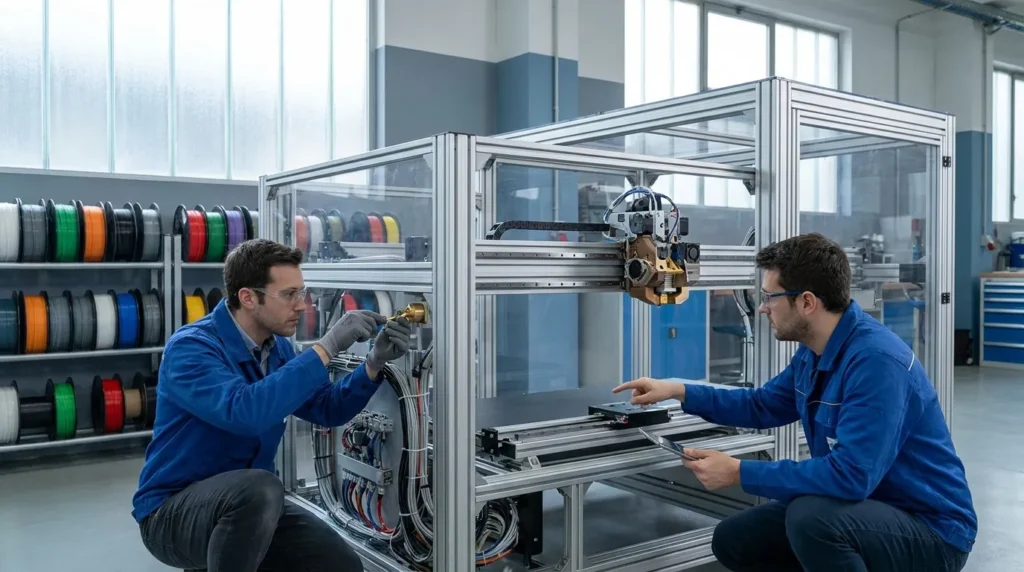
Comprehensive Maintenance Strategies for Industrial 3D Printers
In industrial FDM, speed and precision only matter when the printer is ready to run. A fast machine that keeps stopping will still slow the whole team down. That’s why industrial 3D printer maintenance is more than a service job. It usually sits right inside production planning, quality control, cost control, and day-to-day reliability, which is often one of the first things teams notice.
This matters even more in Australia, where many workshops, labs, and factories rely on a small number of high-value machines for prototyping, tooling, jigs, fixtures, and short-run parts. When one printer goes down, the workflow usually feels it right away. In many cases, a single fault can affect scheduling, part delivery, and operator time. Good maintenance helps printers last longer, keeps print quality more consistent, and helps teams avoid missed deadlines and the pressure that usually comes with them.
The numbers make that risk easy to understand. Across manufacturing, 82% of companies experienced unplanned downtime in the past three years, and the average manufacturer loses 800 hours per year to equipment downtime. That adds up quickly. For industrial 3D printing, the message is simple: waiting for something to fail before taking action often gets expensive.
In this guide, you’ll learn how to build a practical maintenance plan, which parts need the most attention, when to move from reactive fixes to smarter monitoring, and ways to support reliable output on high-speed FDM systems such as advanced RatRig and IDEX platforms from Raven 3D Tech. The focus stays on what teams usually need most: steadier print quality, less downtime, and fewer surprise repairs.
Why maintenance is really an uptime strategy
A lot of teams still treat maintenance as something to deal with after a print fails. That is risky, and usually expensive. In industrial settings, every failed print can cost time, material, labour, and machine capacity, so the impact adds up fast. Broader manufacturing data shows how serious that can be: the average large plant deals with 25 unplanned downtime incidents per month, and 80% of stoppages are linked to equipment failure.
| Metric | Value | Why it matters |
|---|---|---|
| Annual equipment downtime per manufacturer | 800 hours | Shows how costly poor maintenance can be |
| Manufacturers with unplanned downtime in past 3 years | 82% | Downtime is common, not rare |
| Stoppages tied to equipment failure | 80% | Reliability work has direct payoff |
| Nozzle clogs linked to print failures | 80% | FDM maintenance must focus on the extrusion path |
For industrial printers, that usually means maintenance should sit right alongside quality assurance, not somewhere behind it. In many cases, a worn nozzle, a loose belt, a dirty rail, or an unstable hotend can do more than ruin one part. It can also cause repeatability problems across a whole batch, which is often where the real frustration starts.
Regular maintenance is without a doubt one of the most effective ways to extend the lifespan of your 3D printer and maintain consistent print quality.
That idea works especially well for production-grade FDM. When printing engineering parts, support tools, or dual-material jobs, repeatability matters just as much as speed, and often even more in real-world use. Maintenance helps make that possible, so parts stay consistent from one batch to the next.
Build a schedule around print hours, not just the calendar
A good maintenance plan usually starts with a small shift in how you think about the machine. Instead of relying only on weekly or monthly checks, it often makes more sense to use print hours, material type, and duty cycle (it’s a small change, really). Simple.
A machine printing PLA test parts a few times a week will often wear very differently than a high-speed unit running nylon, ABS, or carbon-fibre-filled material over long shifts (big difference, honestly). That’s usually what happens in practice.
In my view, a practical schedule often works best when it’s split into a few clear levels.
Daily checks
Before each run, take a quick minute to check the nozzle, bed surface, filament path, and cooling fans. You will often notice early signs like dust, stringing, weak first-layer bonding, or unusual feeder noise. Also make sure the bed is clean, and check that the loaded material is dry and suitable.
Weekly checks
Look at belts, pulleys, cable movement, and screws, especially the main wear points. It also helps to clean the rails and motion areas. After that, review the week’s failed prints and see if any patterns come up. If the same problem keeps happening, it’s usually a maintenance issue, not just operator bad luck.
Print-hour service intervals
Replace or inspect wear parts based on how the printer is used. This usually matters most for nozzles, extruder gears, PTFE-lined sections where present, fans, and other motion parts under heavy load, especially the ones that get the hardest use. Abrasive materials can shorten service life very quickly, often by quite a bit.
It’s also easier to teach this in schools, labs, and factories, which honestly helps. A clear service log tied to print hours and materials usually helps people follow the same rules, leading to more consistent maintenance, so everyone stays on the same page.
Focus first on the parts that fail most often
For teams looking for quick wins, the extrusion system is usually the best place to start. Research from Raven 3D Tech shows that 80% of print failures come from nozzle clogs. That is a pretty clear sign. In this case, better nozzle care, cleaner filament handling, and a cleaner filament path, the basic stuff, really, often cut failures more than almost any other single task. That can be really helpful for you.
High-priority maintenance areas
Nozzle and hotend: Check for partial clogs, worn tips, heat creep, and burnt residue. If abrasive materials are used in the workflow, this area usually needs more frequent checks, even though it is easy to miss. A nozzle can still extrude while slowly hurting dimensional accuracy in the printed part, so the problem may appear before it seems obvious.
Extruder and filament path: Clean the drive gears, check tension, and clear dust from the filament path. Damp or dirty filament adds drag, causes inconsistency, and often raises the chance of clogs. This part is easy to ignore, but in real use it usually affects print stability more than people expect.
Bed and build surface: Keep the surface clean and flat. Poor first layers often get blamed on settings, but the real cause may be contamination on the sheet, a worn build surface, or a Z offset that has slowly shifted over time.
Belts and motion system: Belt tension drift and dirty rails can lower surface quality and accuracy. At high speed, even very small issues can get worse quickly, which makes them especially annoying. In many cases, the change is gradual enough that it is not noticed at first.
Cooling and thermal control: Keep fans, ducts, and heatsinks clear. Thermal instability can lead to weak layers, jams, and poor overhangs, and that is often part of the issue because it is not always easy to spot.
According to the UltiMaker technical team, heavy use and abrasive materials increase wear on nozzles, gears, and motion parts. So, in my view, industrial maintenance plans should be adjusted to fit the materials being used.
One common mistake is waiting to replace parts until there is a clear failure. By then, the printer may already have produced scrap or ruined a whole overnight job, and that lost time is hard to get back.
Move from reactive fixes to condition-based maintenance
Preventive care is the starting point, but strong operations often go a step further with condition-based or predictive maintenance, and it’s pretty practical. It also doesn’t take a huge factory setup to make it work. Even a small printer fleet can track patterns, catch wear early, and act before breakdowns happen, which probably saves stress too.
That matters because research shows predictive maintenance can reduce unplanned downtime by 70% to 90%, lower maintenance costs by 10% to 40%, and improve uptime by 10% to 20%. For most teams, that’s hard to ignore.
For industrial 3D printers, condition-based maintenance can be simple:
Signals to track
- repeated under-extrusion on similar jobs
n- rising nozzle change frequency - unstable hotend or bed temperatures
- more feeder grinding events
- increased layer shifts at high speed
- print failures tied to one machine, one toolhead, or one material
For Klipper-based systems or more advanced production setups, logs and sensor feedback can be really helpful, especially when you look at them over time. Review print history, temperature behavior, and operator notes to find patterns. The goal is to catch drift, not just the obvious failures.
Additive manufacturing 3D printing means it may no longer be necessary to take equipment offline for days while waiting for replacement parts. In many cases, it may be possible for repair techs to print a new component on the spot.
That quote points to something useful. Industrial printers are now part of plant resilience, and that marks a real shift. When they support maintenance, tooling, and spare part workflows, their own reliability often matters even more in day-to-day operations.
One common mistake is making the process more complex than necessary. Start with checklists, print logs, and clear fault categories. Keeping it simple often works better. Over time, better data is usually more useful than fancy tools that only get used once.
Treat firmware, profiles, and materials as maintenance items too
Industrial maintenance isn’t just mechanical anymore. Modern FDM workflows also depend on software, profiles, and material control. A machine can be mechanically sound and still make poor parts if firmware settings drift, slicer profiles get changed without validation, or filament storage is handled badly, which happens more often than many people expect.
This matters even more with high-speed systems, IDEX machines, and dual-extrusion workflows. A profile change that affects flow, acceleration, or retraction can easily look like hardware trouble, when it’s often really a process control issue and likely the first thing to check.
So, in my view, a better strategy includes:
Process control checks
- keep approved slicer profiles for each material and job type so they stay easy to find
- log firmware updates and test them before any full rollout
- label filament by type and age, and include its drying status
- check dual extrusion alignment after service events, because that is often worth checking twice
- keep restart and recovery steps documented for operators
In Australia, some sites probably will not have much specialist support nearby, so clear documentation matters a lot there. Cross-training can also help reduce delays and make troubleshooting depend less on one person, which often makes a real difference when someone is away.
Stock the right spares and train people to use them
Even a solid maintenance plan can still break down when one basic spare part is missing. For industrial users, it usually makes sense to keep a small, practical inventory based on wear patterns and lead times, not a huge stack of parts. That kind of practical planning is often one of the easiest ways to protect printer life and avoid long production stoppages.
Common spares include nozzles, heater cartridges, thermistors, fans, belts, drive gears, build surfaces, probes, and consumable fasteners that are known to wear out. In IDEX or multi-tool setups, matched or mirrored parts can also help reduce calibration downtime, which can easily take hours when the right replacement is not on hand.
Training matters just as much as keeping parts in stock. Operators should know the basics, including cleaning, inspection, startup checks, and fault reporting. A smaller group of advanced users can then handle deeper calibration and component replacement when needed. That setup usually works well, since not everyone needs to do every task.
The broader market trend supports this kind of discipline. One report values Australia’s 3D printing market at USD 672.3 million in 2025, with projected growth to USD 2,773.3 million by 2034. As industrial FDM becomes more common in production, maintenance standards will need to keep up and will likely become more consistent across teams.
A simple guideline often helps: if a failed part could stop printing for more than a day, it is probably worth keeping in stock.
Put maintenance into practice
The best industrial 3D printer maintenance plan is one your team can actually keep up with. It usually works better to start with a simple setup, then stick with it. Daily checks, weekly inspections, and service intervals based on print hours give the routine a clear structure. The first areas to focus on are the nozzle, extrusion path, bed surface and leveling, motion system, and thermal control. These parts cause a large share of print issues and often have the biggest effect on printer life.
After that, add the next step: log failures, watch for trends, and use condition-based maintenance where it really makes sense. Firmware changes, slicing profiles, and material handling should be reviewed as part of the same reliability system instead of being handled like separate jobs. In production-grade FDM, maintenance is closely tied to quality. It is often one of the main reasons consistent quality happens at all.
In a workshop, engineering lab, classroom, or factory cell, it helps to assign owners, define service triggers, and keep critical spares nearby, such as nozzles, belts, or sensors. That moves maintenance away from a reactive chore and turns it into a practical production asset.
Industrial 3D printing in Australia is growing quickly. The teams that usually get the most value will likely buy capable machines, maintain them well, document what works, and build repeatable habits that keep high-speed, high-precision printing ready for the next job.
