
Table of Contents
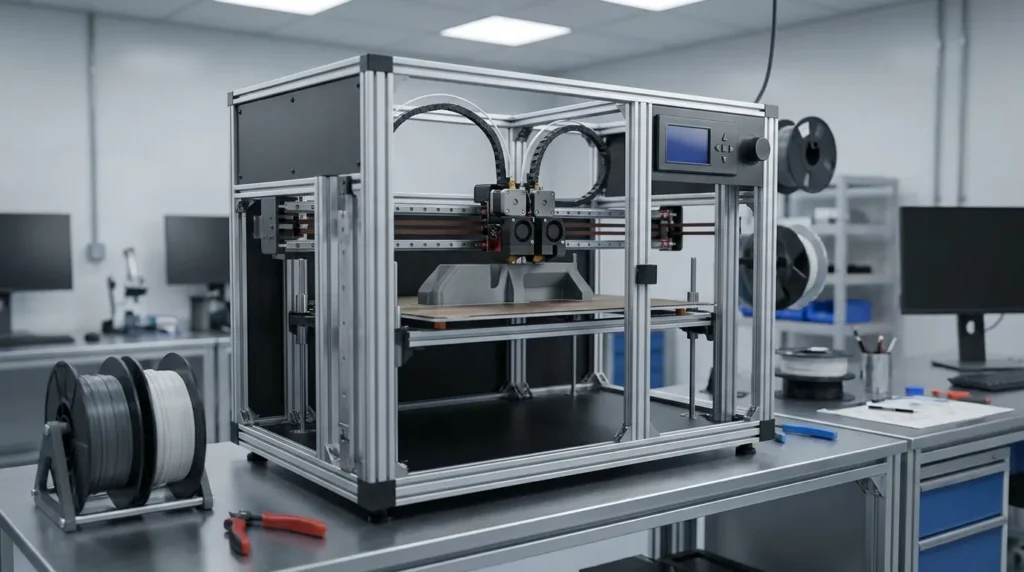
Advanced Calibration Techniques for Reliable FDM 3D Printing
Reliable FDM printing lives or dies by control. Failed prints, warping, or missed tolerances usually come from calibration being off, no mystery there. Many teams buy fast machines and premium materials, then rush past the deeper setup that lets those tools actually work. It happens more often than people like to admit, and the cost shows up later as scrap, rework, and frustrated teams. You’ve seen this pattern before.
For industrial engineers and serious makers, calibration works as an ongoing system, not a box you check once. Not ever, definitely not once and done. When it’s handled well, FDM turns into a repeatable manufacturing process you can count on day after day. When calibration is skipped or rushed, results slide toward rough prototypes and uneven output. That’s a risky spot when deadlines really matter.
This guide looks at advanced calibration techniques that make a real difference for high‑speed, high‑precision FDM printing. The focus stays on practical steps, real tolerance ranges, and methods proven in production, not lab theory. Mechanical alignment, thermal tuning, motion control, and extrusion calibration are treated as connected parts of real, messy workflows. It also covers how modern firmware and industrial hardware push what FDM can deliver today.
If FDM is being used for tooling, jigs, fixtures, or end‑use parts, this article fits that need. Plain and simple, no fluff.
Why Calibration Matters More as FDM Moves Into Production
FDM printing is common on shop floors now, not just in garages. In 2024, the global 3D printing market hit USD 15.39 billion, with FDM still leading by revenue. That growth explains why teams rely on it: quicker turnaround and better cost control. But those benefits only show up when machines are dialed in. Half‑checked settings wipe out the upside and turn speed into rework.
Fused deposition modeling (FDM) is estimated to be the largest market in the 3D printing market due to its cost-effectiveness, ease of use, and wide material compatibility.
Small calibration misses don’t stay small once you move into production. A 0.2 mm shift might pass on a prototype, but on a fixture that needs to line up with CNC‑machined parts, it becomes an issue fast. Service bureau benchmarks spell this out. Entry‑level FDM systems usually land around ±0.3 to 0.5 mm accuracy. Well‑tuned industrial machines reach ±0.05 to 0.15 mm, which directly shapes which parts you can trust on the line.
| Calibration Level | Typical Accuracy | Use Case |
|---|---|---|
| Entry-level default setup | ±0.3, 0.5 mm | Concept models |
| Tuned mid-range FDM | ±0.1, 0.2 mm | Functional prototypes |
| Industrial FDM systems | ±0.05, 0.15 mm | Tooling and fixtures |
That gap separates casual prototyping from production you can rely on. Skip calibration, and speed just means finding problems sooner, and that shows up quickly.
Mechanical Calibration Comes First
Advanced calibration starts with the machine itself, not the software on top. Loose belts or a slightly twisted frame show up fast, especially as speeds go up. In high‑speed FDM printing, small mechanical issues don’t stay small. As acceleration increases, those problems add up, and software changes won’t fix them.
Frame alignment is often where trouble starts. CoreXY and large‑format machines need to stay square on every axis. Even a small amount of skew can turn into clear size drift on long prints, often appearing around hour three or four. Linear rails should move smoothly, with no sticking or rough spots. After a machine has been shipped or moved, it’s worth checking the fasteners again. All of them, even the ones that look fine.
Next up is belt tension and axis balance. Uneven tension causes ringing, ghosting, and poor corners that can’t be fixed later with tuning. Using one repeatable way to set tension helps, and it’s smart to check again after the first few weeks of use. On dual‑motor systems, both motors need to share the load. If they don’t, they quietly work against each other, and the print still shows it.
Bed flatness is another common issue. Teams often chase first‑layer problems in software when the cause is mechanical. On large beds, a flatness range of about 0.02 to 0.10 mm is common for reliable prints. How the bed is mounted matters, and heat expansion during warm‑up matters too, often more than expected.
The Ultimaker engineering team points out that high‑speed FDM systems need tighter mechanical calibration because defects grow faster as speed increases. That’s why industrial machines focus so much on stiff frames and accurate linear motion.
Thermal and Extrusion Calibration for Consistency
Once the mechanical work is done, temperature control quickly takes center stage. Many FDM problems blamed on filament actually come from heat. When melt temperature drifts, flow changes and layer bonding gets weaker, which leads to surface issues you can see and feel. That’s frustrating, especially since careful tuning usually avoids it.
PID tuning helps keep heater behavior predictable. With a good tune, nozzle temperature usually stays within about ±0.5 to 2 °C. That range matters most for engineering materials and for long production runs that shouldn’t need constant babysitting. Bed temperature needs the same attention. On large parts, even small swings can cause warping well before the print is done.
Extrusion calibration builds on that thermal stability. The extruder should deliver exactly what it’s told, which starts with checking E-steps. Flow calibration works better with real print shapes instead of single-wall cubes, since corners and infill expose problems faster. Fast prints often need different flow settings than slow ones, so keeping separate profiles saves time later.
At higher speeds, pressure advance makes a clear difference. By adjusting for pressure inside the nozzle, it keeps corners sharp and extrusion lines even, especially when acceleration is turned up.
According to Xometry application engineers, consistent temperature control and accurate extrusion flow are what separate repeatable production prints from simple prototypes.
Motion Control, Input Shaping, and High-Speed Accuracy
As print speeds climb, motion problems stop being theory and start showing up on real parts. Surface ripples and small size errors appear fast, especially on long moves. That’s when firmware tools shift from “nice to have” to something you actually rely on during normal prints, not just setup and testing.
Input shaping cuts down ringing by working with a printer’s natural resonance. The real benefit is sharper corners and cleaner edges at higher speeds, without the usual ghosting. You’ll notice this most on CoreXY and large-format machines running over 250 mm/s, where belts, frames, and gantries are under constant load.
Acceleration settings have to match the true weight of the toolhead and motion system. Push too hard and skipped steps or uneven layers show up later, often with no clear reason. Go too easy and print times drag on longer than needed. Frame stiffness and motor torque define the limits, and careful testing is the only dependable way to find them.
High-speed calibration works best when input shaping and pressure advance are used together. Each handles a different motion issue, and using only one leaves performance behind.
Multi-material and IDEX setups raise the bar even more. Toolhead offsets must stay aligned on every axis, and material temperature differences can shift dimensions. At high speeds, even tiny mismatches become obvious fast.
3D printing can now start producing more and more parts before injection molding becomes cheaper.
Calibration Workflows for Industrial Reliability
More consistent output usually comes from teams that follow clear calibration workflows. Random tweaks often lead to uneven results, while a written process helps the same settings work across machines, operators, and shifts. It might feel boring, but repeatable steps keep parts consistent from one job to the next.
Reliable setups often begin by separating mechanical calibration from motion and thermal tuning. Each step is locked in before moving on, which helps avoid problems later. Moving too fast rarely saves time. Test parts should match real production geometry instead of simplified shapes, since small details show issues quickly and clearly.
Many industrial teams now link calibration profiles to specific materials. Filament brands behave differently, and even color changes can affect results. Saved profiles cut setup time, reduce scrap, and limit unnecessary restarts.
Camera-based and AI-assisted calibration is also becoming more common. Vision systems help map bed surfaces and catch extrusion issues early, but they still rely on a solid mechanical setup underneath.
Platforms like Raven 3D Tech support these workflows by pairing rigid hardware with motion systems and firmware tuned for speed and accuracy.
For Australian manufacturers, this approach supports onshore production by reducing reliance on CNC for low-volume parts and shortening tooling lead times, which leads to faster feedback and smoother iteration.
Putting Advanced Calibration Into Daily Practice
Advanced 3D printer calibration doesn’t stop after setup day. It’s regular upkeep. Machines slowly drift, materials act differently, and production needs shift as work grows, often without warning. That slow drift is usually where issues start.
For printers doing regular jobs, calibration needs a steady rhythm. Monthly checks on belts, rails, and fasteners help, especially on high‑use machines where parts loosen over time. After a nozzle swap or material change, thermal tuning needs another run. Accuracy checks work best with reference parts you already trust, not guesses or “close enough.”
What keeps this from falling through the cracks? Operators who know what to look for. Clear checklists bring up issues early, before they turn into job‑stopping problems. Changes should be written down in a simple way so results are easy to track later, without relying on memory.
Calibration effort should match business needs. If a printer supports production, treat it like production equipment and plan the time upfront instead of rushing later.
