
Table of Contents
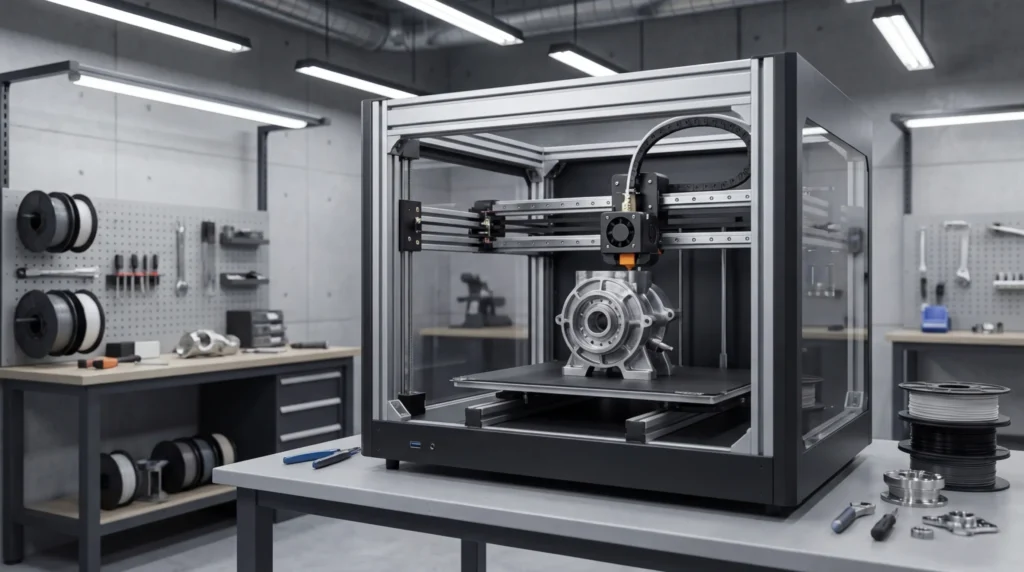
Essential Guide to Upgrading Your FDM 3D Printer for Enhanced Performance
If you rely on FDM 3D printers for serious work, small limits can turn into big problems faster than you expect, you’ve probably seen it yourself. Prints take too long. Parts warp. Accuracy slips, sometimes slowly, sometimes all at once. Downtime grows. For engineers, educators, and other advanced users across Australia, these issues cost real time and real money, and it adds up fast. It’s frustrating. It’s expensive. And in my view, it’s often avoidable.
Here’s what surprises many people: you don’t always need a brand‑new machine, which is a relief. Many performance issues come down to just a few weak spots. With the right 3D printer upgrades, even older FDM 3D printers can often reach today’s standards for speed and steady precision. That’s usually the smarter choice, less disruption, fewer surprises, and you keep using equipment you already know.
This guide looks at upgrades that matter in real production, not just lab tests. It covers motion systems, extrusion and thermal control, firmware and electronics, materials, and long‑run reliability. Each section explains what the upgrade is, why it matters day to day, and how it supports industrial work like tooling, fixtures, and functional prototypes. Real work. Real results.
Why Upgrading FDM 3D Printers Matters in Industrial Settings
The first thing you notice with industrial FDM printing is the pressure. Machines often run around the clock, speeds keep going up, materials are tougher, and tight tolerances are still expected, usually all at the same time. That helps explain where the market is heading. The global FDM market reached USD 2.8 billion in 2024 and is growing at over 11% CAGR, with most of that growth coming from industrial users, not casual or hobby printing.
In these conditions, small weaknesses show up sooner or later. As demands increase, standard components often reach their limits. V-wheel motion systems can flex at higher speeds, sometimes so slightly that it’s easy to miss at first. Entry-level hotends often can’t keep up with high-flow or filled filaments. Basic firmware may also struggle, especially with vibration control or temperature drift during long, nonstop jobs. These problems usually stack up quietly until a failure finally happens.
This is why upgrades matter for more than just speed. They usually lower day-to-day operating risk, which really matters during overnight prints or back-to-back shifts. One failed job can delay an assembly line or a scheduled training run, and in regulated environments, uneven parts can fail inspection and require rework.
The benefits are easy to measure. Linear rail upgrades often deliver 20 to 40% speed gains without losing accuracy. Well-tuned machines can reach 150 mm/s with stable output, while Z-axis accuracy can remain within 0.1 mm. That kind of consistency often makes the biggest difference.
| Metric | Typical Stock Printer | Upgraded System |
|---|---|---|
| Print speed | 60, 80 mm/s | 120, 150 mm/s |
| Motion accuracy | Moderate | High |
| Downtime risk | Medium | Low |
For Australian manufacturers dealing with long supply chains and high labour costs, focused upgrades often pay back faster than replacing entire machines. When downtime and retraining are included, total ownership costs usually make that decision much clearer.
Motion System Upgrades for Speed and Precision
Motion is at the core of any FDM system, and once speeds go up, even small issues tend to show up quickly as visible defects (you’ve probably noticed this before). That’s why motion upgrades are often the first step for people chasing better performance, at least in my experience. If the motion system isn’t solid, the rest of the printer has a hard time keeping up, no matter how good the hotend or slicer might be.
One of the biggest changes comes from linear rails. They replace wheels and loose movement with rigid, guided travel. In practice, they cut down on play, keep alignment along each axis, and handle high acceleration with far less drama (which is honestly nice). The payoff usually shows up as cleaner corners, smoother surfaces, and fewer layer shifts on X and Y. Even on well-known test prints, the difference is often easy to spot.
In production settings, better motion usually means more predictable cycle times. When acceleration and deceleration behave the same from print to print, job lengths are easier to plan, especially over longer runs. This helps when scheduling batches of jigs and fixtures or managing classroom printers, where less guesswork makes daily planning simpler.
Engineers often pair rails with stiffer frames and belt paths that flex less than stock setups. RatRig-style designs are popular because they tend to stay square as they scale and handle load well. With that structure, higher acceleration becomes realistic without ringing taking over during fast infill.
Why does installation matter so much? Poor alignment can cause binding and early wear. Taking the time to square each axis and preload the guides evenly saves trouble later.
This is also where modern firmware really helps.
Firmware like Klipper uses input shaping to cancel vibration during fast direction changes. When matched with solid motion hardware, speeds can increase without hurting surface quality. For educators and engineers, this usually means consistent parts across many prints and less time spent tweaking settings as speeds go up.
Extrusion and Thermal Upgrades for Advanced Materials
Once motion is dialed in, extrusion is often where limits start to show. High-speed printing usually depends on steady, high-volume melt flow over long runs, and that’s where many stock hotends struggle. Everything else can look tuned, yet longer or faster jobs fail first because the hotend can’t keep up.
High-flow hotends are interesting because they increase melt capacity using longer heater blocks and better internal paths. This extra margin supports thicker layers and wider extrusion at speed, which matters most when deadlines are tight. For tooling and fixtures, this change alone can cut hours off long prints and make fast jobs feel more predictable, which is often the biggest benefit.
More consistent extrusion also helps improve mechanical strength. Even flow reduces weak layer bonds and internal gaps, which matters for load‑bearing brackets and mounts used as end‑use parts, where failure isn’t acceptable.
Material choice connects to this as well. Carbon‑fiber nylons and other filled or ESD‑safe filaments are common in industrial FDM, but they usually need hardened nozzles and stable temperatures. Brass nozzles wear fast, and nozzle wear over time often shows up as lower print quality.
Thermal control goes beyond the hotend. Enclosures help manage cooling and reduce warping on long prints. Heated chambers push this further by improving layer bonding with high‑temperature polymers, especially on demanding parts where the difference is easy to see.
| Upgrade | Benefit | Best Use Case |
|---|---|---|
| High-flow hotend | Faster extrusion | Large functional parts |
| Hardened nozzle | Wear resistance | Filled filaments |
| Enclosure | Thermal stability | ABS, nylon |
Electronics, Firmware, and Control Improvements
Electronics don’t usually get much attention, even though they quietly run the entire machine, which is a bit ironic. Better control boards and smarter firmware unlock features that basic stock setups often can’t manage, especially around motion control and everyday reliability. This becomes clear pretty quickly once print speeds start going up.
Modern controllers are designed to handle higher step rates and use quiet, closed‑loop drivers. In real use, this shows up as smoother movement during fast travel and fewer skipped steps when prints get demanding, like long layers or sharp corners. That steady behavior is often the real benefit people notice.
Safety and troubleshooting usually get better with upgraded electronics too. Thermal runaway protection, recovery options, and clearer error messages lower the risk of damage to the printer, printed parts, or nearby equipment, which helps reduce stress.
Klipper firmware is now common on advanced FDM 3D printers. By moving heavy processing to a separate computer, it allows more advanced motion planning. Features like pressure advance help keep extrusion steady, and remote monitoring makes it easier to watch multiple machines during busy work.
After any firmware change, calibration still matters. Steps per millimetre, along with temperature and resonance tuning, need to be redone. Skipping this often leads to uneven prints and wasted material.
In production settings, remote dashboards and automatic error detection help teams react sooner. Problems often show up early instead of hours later, cutting downtime and saving time overall.
Reliability, Maintenance, and Continuous Printing
High performance doesn’t mean much without reliability, especially in industrial spaces. Many teams let printers run overnight or through weekends, often with no one around. When a machine fails, time is lost fast and trust drops. That’s the real issue here, and it’s honestly frustrating.
Some upgrades quietly help a lot. Better bearings, cleaner wiring, and stable power supplies cut down on random failures. Cable chains reduce wear during long moves. Filament runout sensors stop jobs early, before a bad print wastes hours. It’s a small win, but it matters.
Safety often improves at the same time. Proper grounding and strain relief matter. Certified power parts reduce electrical risk in shared workshops and classrooms, where printers may run unattended for long periods. No shortcuts here.
Preventive maintenance works best as a habit. Odd motion can point to belt tension. Nozzles wear faster with abrasive filaments, and filament storage, often ignored, affects print quality. Thermal stability keeps long prints consistent, helped by enclosures and insulated beds.
Australian workshops deal with changing humidity. Dry boxes and sealed storage protect materials, improve surface finish, and support long-term dimensional stability. Worth the effort.
Putting It All Together for Real-World Use
Getting more out of an FDM 3D printer usually isn’t about chasing the newest specs, even though that’s easy to do. What really matters day to day is how well the machine fits the work it needs to handle. Tooling jobs often need strength and accuracy, sometimes with tighter tolerances. Prototyping and education usually care more about speed, flexibility, and repeatable results, like printing the same part twice without constant adjustment. Different goals come with different priorities, and that’s completely normal.
A helpful way to think about upgrades is as a system, not just a pile of parts. Motion, extrusion, electronics, and materials all need to work together to deliver steady results. When one area improves but the others don’t keep up, problems often appear somewhere else. That usually happens sooner than expected, sometimes halfway through a print.
So where should you start? In many cases, the answer is the biggest pain point. Is speed holding you back, or accuracy with certain materials? Start there, test the outcome, and then move on. Taking it step by step tends to work best.
That’s why many professionals prefer staged upgrades instead of tearing everything apart at once. This spreads out costs, keeps machines running, and helps teams understand each change, which often prevents later issues.
For Australian engineers and manufacturers, local support and proven components often matter a lot. Industrial-focused systems can save time during setup and scale more smoothly as demand grows.
With good planning, smart upgrades extend the working life of FDM machines and move them closer to production-grade use. Faster prints, tighter tolerances, and reliable runs often become standard. Look closely at the setup, find the weakest link, and upgrade with a clear goal, the improvements usually build with every successful print.
