
Table of Contents
3D Printer Upgrades: Essential Components for Industrial Efficiency
Industrial 3D printing looks very different today than it did just a few years ago. What once felt like experimental gear, almost lab projects that drifted onto the shop floor, has often become dependable production equipment. Modern machines usually run faster and are trusted for repeat jobs. This is real production, not just testing. Even so, many teams start to feel limits as demand grows. A printer bought two or three years ago can begin to fall behind. Speeds hit a ceiling, tolerances can drift during long runs, and downtime seems to appear at the worst times. Over time, that wears people down, especially when the goal is to scale.
This is where smart 3D printer upgrades often help. Swapping out the entire system isn’t always needed to reach industrial-level efficiency, which is a relief for most teams. Targeted upgrades tend to deliver better results for less money, with far less day-to-day disruption. For Australian engineers, educators, and advanced users, upgrades can also support local production and faster turnaround, which cuts down on common frustrations. That matters in real-world use.
In this guide, we look at the most important upgrades for industrial FDM systems. The focus stays on results you actually notice: higher speed, better accuracy, improved uptime, and more material options. You’ll learn which components usually matter most, how they affect production, and how to avoid common mistakes along the way, because almost everyone makes a few.
Motion Systems That Unlock Speed and Accuracy
When the goal is faster prints without losing quality, the motion system is often where changes make the biggest difference, and it’s also the part many people overlook. Most stock printers ship with simple wheels or light-duty rails. For slower jobs, especially hobby-style work, that’s usually fine. But as speeds go up, those parts start to hit their limits. Vibration becomes easier to see, parts wear out sooner, and results can vary more, especially in industrial settings where machines run all day.
What surprises many teams is how quickly things improve after switching to linear rails with a stiff CoreXY frame. Less flex and higher acceleration often mean shorter print times and cleaner corners instead of rough edges. In production, this shows up as more consistent results over long runs, where small errors can slowly add up.
Industry data shows the same trend. Stable, fast motion often affects lead times and part costs, especially for tooling and fixtures rather than one-off prints.
| Efficiency Metric | Improvement Range | Impact on Production |
|---|---|---|
| Lead time reduction | Up to 8x faster | Quicker iteration and delivery |
| Tooling cost savings | 80, 90% | Lower cost jigs and fixtures |
| Material waste reduction | 30, 95% | Less scrap and rework |
Vibration often affects surface finish and dimensional accuracy more than engineers expect. Fixing the motion system deals with that problem at the source, which I think makes sense. It also leaves room for future upgrades like faster firmware or heavier toolheads without pushing the machine too hard. Worth it, in my opinion.
We’re finally moving past the wow factor and into true, scalable adoption. We now have reliable, high‑temperature machines and dialed‑in material profiles that allow engineers to create great, immediately usable products right from the desktop.
Extruders, Hotends, and Material Capability
Raw speed doesn’t help much if the extrusion system can’t move plastic in a steady, predictable way. That’s usually where real problems start. For industrial‑style efficiency, the extruder and hotend need to handle high temperatures, abrasive filaments, and long print runs without drifting, clogging, or slowly losing accuracy. In most cases, there aren’t many shortcuts here, especially once machines move past casual or hobby use.
An all‑metal hotend rated for higher temperatures makes it possible to print engineering‑grade filaments every day, including carbon fibre nylon and polycarbonate. This matters more than many people expect, especially after a few attempts with tougher materials. Hardened nozzles and drive gears matter for the same reason. As these parts wear down, extrusion can become uneven, leading to under‑extrusion and prints that fail halfway through. That kind of failure is frustrating, and most teams run into it sooner or later.
Direct drive extruders give tighter control over flexible and filled materials, especially at higher speeds. You’ll usually see fewer retraction problems during fast moves and sharp direction changes, where small blobs and gaps tend to appear. The benefit is easiest to see on long, complex prints that run for hours.
Here’s a practical upgrade path many teams follow, based on what usually works:
- Swap the stock hotend for a high‑temperature, all‑metal unit that can run hot for hours
- Use hardened steel or coated nozzles to slow wear
- Improve extruder gears for abrasive resistance, a step often skipped early and added later
- Include a filament runout sensor for long jobs, so prints don’t fail overnight
For educators and labs, these changes expand what students can realistically use each day. Printing advanced materials helps students get comfortable with the same tools, limits, and tradeoffs found in real industrial workflows, which is often the goal, especially during a multi‑day class project.
Dual Extrusion and IDEX for Production Flexibility
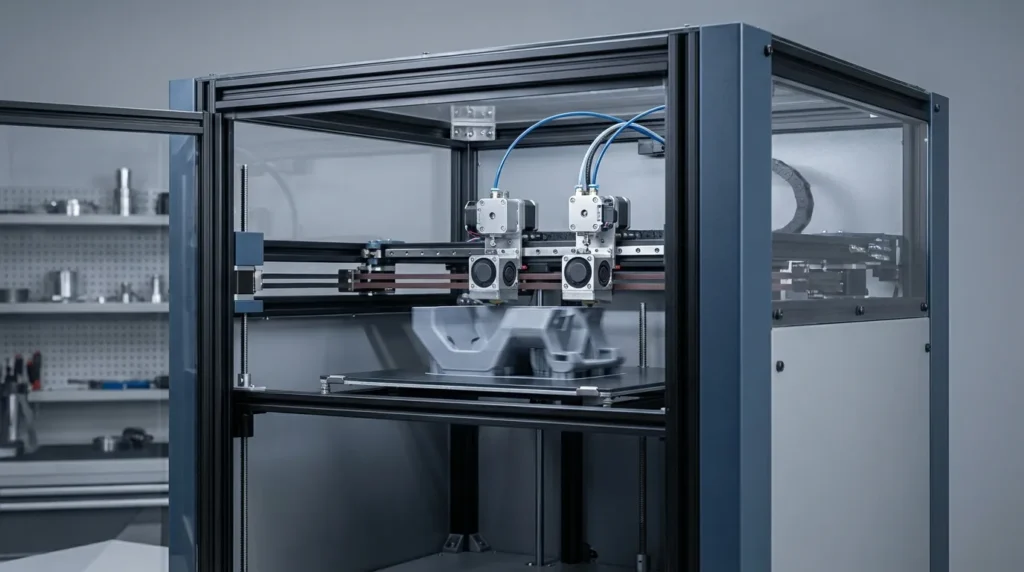
Production shops often feel slowed down by single‑material printing. Swapping materials by hand usually breaks the flow, and every pause adds another chance for small mistakes. Over time, that wasted time adds up. Dual extrusion helps ease that strain, especially with IDEX systems where each toolhead moves on its own. There’s less waiting, fewer stops, and a steadier workflow, which most teams notice once they see it in action.
IDEX works well in industrial settings because the flexibility shows up in day‑to‑day jobs. Soluble supports can be printed and rinsed away later, and two materials can be used in the same part without extra prep. That flexibility is practical, not just on paper. Duplication and mirror modes also let shops produce multiple parts at once, so operators don’t need to keep restarting prints or standing by the machine.
Tooling is a clear example. One extruder prints a strong structural plastic, while the other handles soluble supports. Complex shapes are easier to make, and cleanup usually takes less time, which means fewer problems later.
Upgrading to IDEX isn’t always smooth. Calibration issues or mismatched hardware, like uneven nozzle sizes with weak cooling, can cause layer shifts or rough surfaces. That can be frustrating.
To cut down on those problems, a few habits help:
- Careful calibration of both toolheads makes a real difference
- Matching nozzles and heaters usually leads to steadier results
- Tuning offsets in firmware, not just the slicer, often prevents repeat issues
- Testing duplication mode with simple parts first can save time before production runs
Near-term trends in additive manufacturing include an increase in part size capability. Another area that I expect to grow in 2026 is the usage of AI in AM to build an end-to-end digitally controlled manufacturing process, resulting in enhanced part quality and reproducibility.
Firmware, Control, and Smart Automation
Hardware upgrades do a lot of the work, but firmware decides how the machine actually runs. It’s the decision‑making layer behind every movement. Platforms like Klipper let users do things that basic stock firmware usually can’t, especially when the goal is steady, repeatable results instead of just speed.
One noticeable change with Klipper is that motion planning runs on an external processor. This often leads to faster prints and smoother movement without pushing printer electronics too hard. It also enables features like pressure advance and input shaping, which can be tuned while the printer is running. Instead of stopping a job and guessing, operators can adjust settings live and see what changes right away.
In industrial settings, this usually means shorter print times and fewer failed parts. Cutting back on manual calibration also saves time, which is always welcome.
Auto bed leveling matters here as well. With a good probe, first layers stay even across large build plates, where problems tend to show up. That consistency is especially helpful during long production runs.
Industry analysts point out that industrial FDM is becoming more digital, not just mechanical. Sensor feedback and closed‑loop control often help reduce scrap and downtime.
For Australian manufacturers, these tools help manage higher labour costs. With less hands‑on monitoring, operators can focus on higher‑value tasks like improving processes or planning the next job.
Thermal Management for Continuous Printing
Often overlooked, thermal stability can have a big effect on part quality, even if it stays mostly out of sight. In everyday printing, drafts or uneven chamber temperatures can push parts out of alignment. Weak cooling can also lead to warping or layer separation, especially on long runs. This is where frustration often begins, especially when a print fails near the end of the job.
The key piece is an enclosed build chamber. It keeps internal temperatures steady and makes materials like ABS easier to print. Active chamber heating goes further by holding conditions in a tight range during long jobs. This usually means fewer shifts, fewer failed prints, and fewer unpleasant surprises.
Electronics cooling matters just as much, even though it’s often treated as an afterthought. Industrial upgrades usually improve fans and airflow, helping machines avoid thermal shutdowns during nonstop use.
Good thermal management usually leads to:
- Stronger layer bonding and more reliable long prints
- Better dimensional accuracy across finished parts
Planning Your Upgrade Path With Confidence
Upgrading everything at once can sound tempting, but it’s rarely the smartest move. A phased plan usually brings steadier results, with less risk at each step (which is a relief). Stress also tends to stay lower during long builds, especially when things don’t all change at once.
What really helps is clear focus. Once you know the main goal, speed or material strength, upgrades that support it tend to work better than spreading changes everywhere (which is easy to do). Progress usually feels more predictable this way.
A typical upgrade sequence looks like this:
- Motion system and frame rigidity (baseline for accuracy and vibration)
- Extruder and hotend
- Firmware and calibration tools you’ll actually use
- Dual extrusion or other automation
Why rush? Write down changes as you make them, then test before moving on. Downtime stays lower, and results are easier to understand.
For teams using RatRig or similar platforms, modular design is often the biggest help. You can upgrade based on real needs without replacing everything, and that flexibility often ends up being the biggest win.
Putting These Upgrades to Work
Pressure often shows up during tight production runs, when mistakes cost the most. Upgrading motion systems, extrusion, control software, and thermal management can bring more speed and confidence at those moments. The setup feels more stable and usually leads to less stress. I see this as a way to support manufacturing goals without having to replace entire machines.
Industrial efficiency isn’t about chasing the newest trend. It’s about steady, reliable output day after day, the boring but important work. The right 3D printer upgrades can turn machines you already own into production tools you can rely on.
For Australian engineers and educators, that level of control often means more work handled locally and clearer, more consistent results. Instead of trying everything at once, it helps to start with one upgrade that fixes the biggest headache, track the results carefully, and then build from there at your own pace.
