
Table of Contents
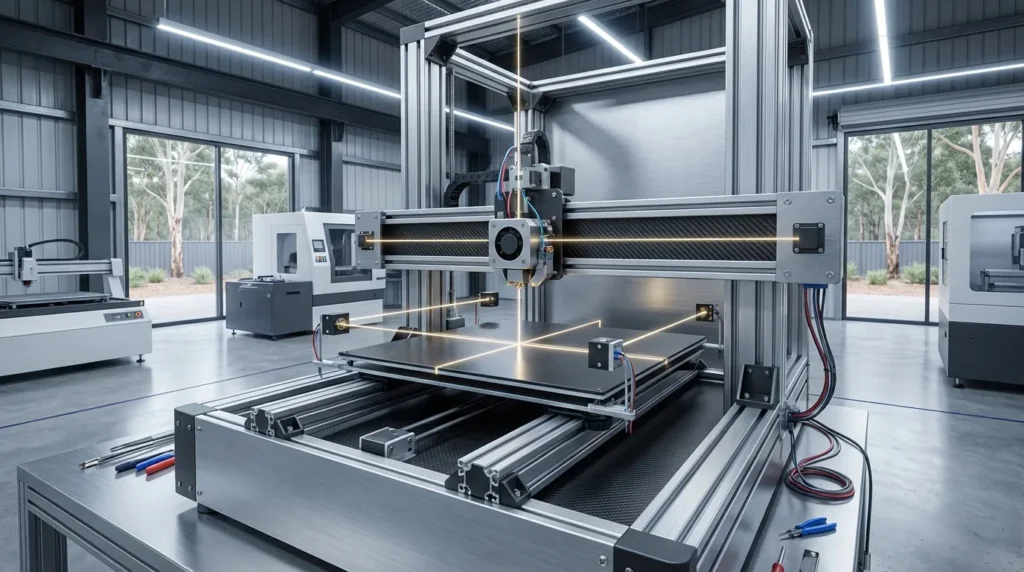
3D Printer Calibration: Techniques for Precision and Quality
In the fast-moving, high-accuracy world of FDM 3D printing, 3D printer calibration is what keeps each print landing exactly where it should, like a nozzle returning to the same spot within a hair’s width. Whether it’s making aerospace prototypes or building custom tooling for a factory line that can’t afford a single slip-up, a well-tuned printer delivers steady precision and cuts down on wasted filament. For industrial engineers, manufacturing experts, technical trainers, and dedicated hobbyists across Australia, calibration often becomes a regular habit, checking that every part matches the spec sheet, run after run, without unexpected errors.
Australia’s 3D printing market is expected to grow at 12.4% CAGR from 2025 to 2035, driven by industries where precision is non-negotiable, like aerospace, defense, EV parts, and specialized tooling. With industrial-grade FDM systems now hitting tolerances around ±0.05mm (remarkably tight by most measures), the need to tweak and fine-tune 3D printer calibration has never been more important for hitting these tough standards.
Why 3D Printer Calibration Matters in Industrial FDM Printing
In industrial FDM printing, 3D printer calibration can be the difference between getting parts that match the design and ending up with pieces that are off in size, rough in texture, or weaker than they should be. When calibration is wrong, you might see warped corners, layers that don’t line up, or extrusion problems halfway through a job, and that’s never a good surprise. These kinds of mistakes can quickly drive up costs, especially during a full production run.
Tolerances in industrial work can be extremely tight. Even a slightly uneven print bed or a poorly set extrusion multiplier can mean a custom fixture won’t fit at all. Sometimes a prototype doesn’t even make it to testing, which can be one of the most frustrating and time-wasting problems a team can hit.
| Calibration Step | Impact on Quality | Tolerance Achievable |
|---|---|---|
| Bed Leveling | Uniform first layer adhesion | ±0.05mm |
| Extruder E-Steps | Consistent material flow | ±0.05mm |
| Temperature Tuning | Optimal layer bonding | ±0.05mm |
John Matthews, Senior Engineer at Elite Mold Tech, says that checking calibration before major projects gives teams confidence their parts will match the CAD model. It’s a small time investment that often pays off in dependable results.
Verification calibration before critical projects provides confidence that important parts will print correctly, especially in industrial settings where tolerances are tight.
Accurate 3D printer calibration not only reduces scrap, but also keeps production moving, saves labor hours, and speeds up shipping. Data from manufacturing analytics groups show that well-tuned printers can cut rework rates by up to 30%, saving both materials and staff time. One aerospace supplier in Brisbane proved it: their strict weekly calibration dropped failed prints from about 8% to under 2%, leading to faster delivery of high-value components and no last-minute panics over a single bad part.
Mastering Extruder 3D Printer Calibration
Extruder 3D printer calibration means making sure your printer pushes out the right amount of filament every time, balanced so it’s not too much or too little. If it feeds too much, you’ll see blobs, rough edges, or parts that end up slightly oversized, which is annoying when they’re supposed to fit together. Too little filament often leaves prints weak, brittle, and unsatisfying to handle.
The basic idea is simple: measure a set length of filament, tell the printer to extrude that amount, then adjust the E-steps until what’s actually extruded matches your measurement. In practice, it usually takes a few rounds of tweaking before everything matches up.
Printing fast, especially on FDM machines using tougher materials like carbon-fiber blends, can make poor calibration even more noticeable. Even small changes, like switching filament types or using a different nozzle size, can throw things off, so it’s smart to check 3D printer calibration during those times.
Advanced calibration also deals with small changes in filament thickness. Even good filament can be off by about ±0.02mm, which affects flow. Measuring several spots with digital calipers, then averaging those numbers in your slicer, helps keep prints steady. If you use multiple printers, matching E-step values and filament measurements means parts will still fit. Running flow rate tests with calibration cubes now and then can spot worn gears or motors early, saving hours that might have been lost to a failed long print.
Bed Leveling for 3D Printer Calibration Precision Printing
Leveling the bed is all about keeping the nozzle at the right distance from the print surface the entire time, close enough for the filament to stick, but not so close that it scrapes. On bigger industrial machines, mesh leveling checks many points across the bed, makes a detailed Z-offset map, and adjusts on the fly during printing. It’s fun to watch the system make those tiny movements.
Manual leveling has its own appeal, turning knobs, sliding a feeler gauge, or using the classic paper test, which can still give great results. Automated systems, especially when running Klipper firmware, save a lot of setup time and help avoid those annoying “well, there goes the first layer” moments.
A properly leveled bed means better first layer grip, less warping, and prints that measure accurately from one edge to the other. Different surfaces sometimes need slightly different offsets, PEI might need one method, glass another, and carbon fiber something else. Large-format printers deal with heat expansion, so leveling at print temperature is often better than doing it cold. For very tight tolerances, laser mapping can spot changes down to 0.01mm. And with multi-material printing, separate mesh profiles help each filament stick and heat the way it should.
Temperature Tuning and Material-Specific 3D Printer Calibration
Different filaments each have their own best nozzle and bed temperatures, and one of the easiest ways to figure them out is by printing temperature towers. With just one print, you can see how layer bonding and surface finish change from section to section, it’s pretty fun to watch those differences appear as it goes.
For tougher, high-performance materials like PEEK or PEI, getting the temperature right can be the difference between a part that’s strong and reliable or one that ends up as scrap. Bridge prints and cooling tests can show how airflow and speed affect results, and combining those with retraction tuning helps cut down on stringing in designs with lots of tight corners. Printing fast? Being off by just a couple degrees can leave marks that stand out immediately.
Industrial setups often run custom routines for each material, and multi-material jobs, especially on IDEX machines, may need extra careful tuning. More detail on that is here: IDEX System Installation & Calibration for V-Core 3D Printers and also in the Ultimate Guide to FDM 3D Printer Calibration Techniques.
Pro teams also take ambient conditions into account. ABS can warp or crack if exposed to drafts, so enclosed builds with controlled airflow work better. Some even use thermal cameras to catch uneven heating early. Many production crews keep detailed records for each material’s temperature, cooling, and environment, making it easy to repeat quality results.
AI and Sensor-Driven Auto 3D Printer Calibration
Industrial calibration is quickly moving toward almost complete automation. Right now, over 40% of new industrial FDM printers planned for 2024 and 2025 include built-in auto-calibration sensors and AI tools that adjust settings for you. Many can start printing soon after being plugged in, skipping the long bed-leveling process that used to be standard.
These systems track extrusion rate, bed temperature, part shape, and layer alignment while the print is happening. If something starts to drift, they fix it on their own. You’ll usually only need to step in if something unusual happens, like a sudden nozzle blockage or unexpected warping.
In hybrid manufacturing, where additive printing is combined with CNC finishing, AI calibration helps hit the tight tolerances CNC work needs.
| Technology | Benefit | Adoption Rate |
|---|---|---|
| AI Calibration | Real-time adjustment | 40% |
| Mesh Bed Leveling | Dynamic Z-offset | 60% |
| Material Profiles | Optimised settings | 70% |
AI can also look at past prints to spot small calibration changes before they slow production. If extrusion moves off target, it can ask for maintenance or adjust settings right away. Sensors watching vibration, humidity, and temperature keep results steady even in busy or humid shops. As more companies use this, manual 3D printer calibration time might drop by around half, leaving more hours for improving designs or trying new print ideas.
Building a Repeatable 3D Printer Calibration Process
In industrial production, keeping things consistent is often the quiet hero, when every run follows the same routine, you dodge most surprises and avoid the headaches that show up later. Having a detailed calibration log, with offsets, E-step values, and exact temperature settings, becomes your go-to recipe for recreating that perfect output whenever you need it.
How often you calibrate usually depends on how much the printer’s used and if you’re swapping materials. On busy production lines, checks might happen every shift, and during high-demand jobs, twice a day isn’t rare.
Some Australian teams make 3D printer calibration part of their regular quality control, no big print moves forward until it’s approved. That extra step can feel slow, but it’s saved them from a lot of rework.
Mixing that routine with good filament storage and careful handling can cut downtime a lot. Standard checklists help too, looking over parts, checking room temperature and humidity, plus quick test prints with trusted shapes. Alignment tools sometimes join in, and storing calibration data in the cloud lets different sites share settings so finished parts match. Used with lean manufacturing, this method keeps additive production steady and predictable, building confidence in every part.
Your Path Forward in 3D Printer Calibration and Precision Printing
Keeping a 3D printer in top shape isn’t something you do once and forget, it’s more like regular maintenance that can decide whether your parts come out clean or just slightly off. Over time, learning to fine‑tune extruder steps, make sure the bed is truly level from corner to corner, adjust temperatures for each filament type, and experiment with motion settings like speed and acceleration makes hitting tight tolerances, around ±0.05 mm, feel much more achievable.
AI‑powered calibration tools are starting to make the process faster and more accurate, but people who know the basics still tend to fix issues more quickly. Whether it’s a persistent layer shift or a clogged nozzle, being able to step in without waiting for software can save the day, especially when high‑end printers decide to act up.
For engineers and committed hobbyists in Australia, this focus on 3D printer calibration often means fewer failed prints, shorter turnaround, and parts that meet strict production standards with less trial and error.
Running a RatRig V‑Core with dual extrusion? Managing a group of industrial FDM machines? Consistent calibration habits help keep every print sharp. You can also explore our Essential Guide to 3D Printer Calibration: Techniques for Precision and Performance for more in-depth steps.
As you tweak settings over time, you’ll likely see print quality improve bit by bit. That experience pays off later too, whether you’re tackling new materials, upgraded hardware, or designs with tough shapes. Mixing careful manual tweaks with smart automation (and a curious mindset) lets your skills grow with demand. In precision printing, success often comes from spotting the tiny changes that lead to perfect results.
