
Table of Contents
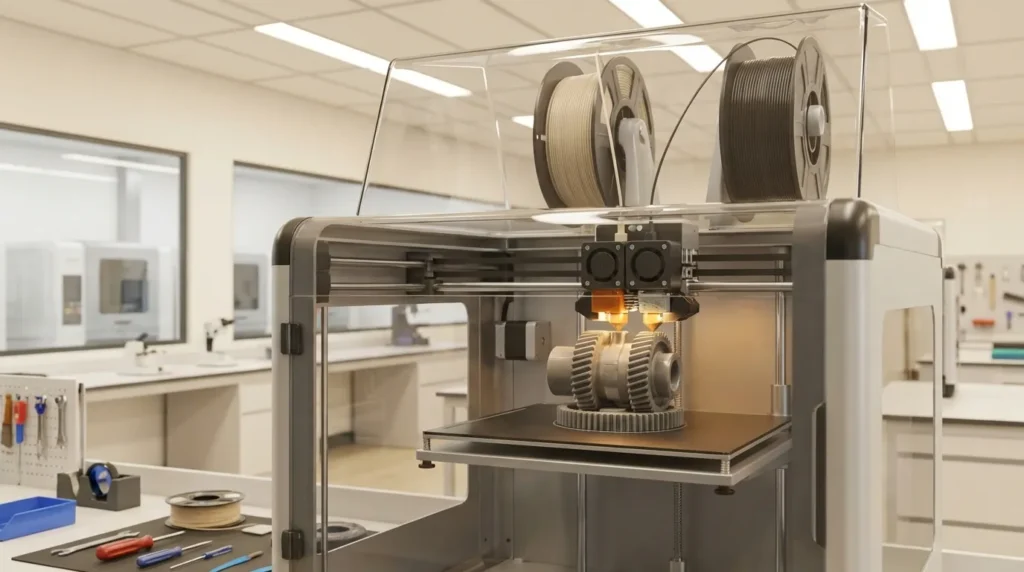
Maintaining Industrial 3D Printers: Best Practices for Longevity and Performance
Industrial 3D printing in Australia isn’t just about cranking out quick prototypes anymore. These days, plenty of manufacturers and engineers count on fast, precise FDM setups for custom tooling, production-ready parts, complex multi-material projects, and tricky assemblies that make you double-check the CAD model. The possibilities are big, but so is the pressure to keep every industrial 3D printing system working smoothly.
Skipping regular upkeep can turn even top gear like the RatRig V-Core or an IDEX dual extrusion printer into a problem, slowing halfway through a job, jamming mid-print, or running up repair bills that hurt more than the lost time. A good move is to set up a maintenance routine that saves cash while keeping print quality sharp and assemblies fitting just right.
This guide looks at reliable care habits, handy tools like AI-powered predictive maintenance, and practical tweaks to help your industrial 3D printing equipment last longer. You’ll get advice from experienced operators and links to useful resources, so you can keep improving your maintenance skills with tips that actually work in the real world.
Understanding the Stakes in Industrial 3D Printing
By 2023, the global 3D printing market was valued at around USD 20.37 billion, with predictions that it could grow beyond USD 73.8 billion by 2035. The main drivers are industrial-grade machines, which make up over 76% of worldwide sales. In Australia, professional setups usually face yearly part-replacement costs between AUD $500 and $1,000, not even counting the labor. That’s enough to make most people think twice about skipping regular upkeep.
When a printer breaks down, it’s rarely a simple “tighten a bolt” fix. Production schedules can start slipping, clients may begin asking tough questions, and trust can take a hit. In sectors like aerospace and automotive, where timing is everything, just an hour of downtime can mean losing thousands of dollars. On big factory floors, one faulty machine can disrupt the whole supply chain. Keeping industrial 3D printing equipment in good working order isn’t just nice to have; for many businesses, it’s the line between smooth delivery and expensive setbacks.
| Region | Industrial Adoption | Annual Maintenance Cost |
|---|---|---|
| Australia | High | AUD $500, $1,000 |
| Asia-Pacific | Rapid Growth | Varies |
Australia’s growing interest in industrial 3D printing, along with stable maintenance costs, makes having a clear servicing plan almost essential. Companies that stick to regular check-ups often get about 25% more life out of their machines compared to those that wait for breakdowns. Maintenance doesn’t just save the hardware, it keeps productivity steady, reduces stress, and helps production lines run without worry.
Daily Care Routines for Consistent Industrial 3D Printing Performance
A bit of daily care can stop small problems from turning into expensive repairs. A good routine might be:
- Wipe down the print bed and nozzles, removing those stubborn bits of old filament that like to stick in corners.
- Check the moving parts for signs of wear, loose screws, or strange movement, you can often spot trouble before it grows.
- Keep the filament feed and spool set up so the filament moves smoothly without snagging.
A clean, well-adjusted machine gives every print a strong base and accurate layers. In fast-paced industrial 3D printing, even a speck of dust can mess up alignment or leave a rough surface. Many operators spend about ten to fifteen minutes at the start or end of a shift, which is usually enough to catch clogs or misalignments before they ruin a batch. Use lint-free cloths and approved cleaners to avoid scratching parts, helping extrusion stay smooth and steady.
By integrating AI and simulation into the 3D printing process, manufacturers can reduce time-to-market, minimize waste, and gain greater confidence in part reliability before production begins.
For dual extrusion setups, check and clean both nozzles every day so materials don’t mix and spoil a print. In dusty workspaces, add a quick wipe of panels and ventilation grills, this keeps airflow steady and temperatures where your sensors expect them.
Monthly and Quarterly Industrial 3D Printing Maintenance Essentials
Monthly maintenance isn’t just a quick clean, it’s the time to really check things so your printer keeps working properly (and doesn’t surprise you with a breakdown). This is usually when you:
- Make sure each axis and the extruder are calibrated so parts come out the right size instead of “close enough.”
- Add the recommended lubricant to rails, lead screws, and other moving parts, this keeps movement smooth and avoids extra noise or strain.
- Inspect belts, pulleys, and idlers for looseness or visible wear that could cause problems later.
- Check that sensors are positioned correctly so they give accurate readings.
Quarterly care goes a bit deeper. Slower production periods are perfect for updating firmware, testing cooling fans to make sure they still move enough air, and checking electrical connections for looseness or early damage, burn marks are almost always a bad sign. Lubrication here isn’t just for smooth motion; it also helps keep heat down, which can prevent warping during long prints. Belts too tight can overwork motors, and belts too loose can throw off accuracy. That’s why monthly checks are seen as a must.
Some teams also use this time to adjust workflows. Klipper firmware can improve speed and accuracy, but its settings need occasional review to fit current hardware. In shops with multiple printers, shared maintenance logs help everyone keep quality steady.
Want more tips? See our Essential Guide to 3D Printer Calibration for bed leveling, extrusion tuning, and sensor setup help.
Annual Overhauls and Predictive Maintenance in Industrial 3D Printing
The most revealing work on a machine often happens during its yearly overhaul, the kind that takes a whole day and reaches spots you rarely think about during routine checks.
- Worn parts like nozzles, bearings, and belts usually give subtle signs before breaking, so replacing them early saves bigger problems later.
- Electrical systems do best with a slow, careful check, skipping steps here can mean missing the fault that causes next month’s shutdown.
- Updating firmware or software is one thing; double-checking every setting afterward helps avoid strange glitches down the track.
- Even tight corners and cramped housings deserve attention, as they often hide trouble you’ll wish you’d found sooner.
Annual servicing goes much deeper than daily or monthly routines. Techs strip assemblies, clear out hidden buildup, and re-lubricate moving parts. It’s common for them to find a hairline crack in a frame or corrosion tucked under a contact, small issues that can grow into expensive failures if left alone.
A helpful method that more companies are trying is predictive maintenance. With AI tools and IoT sensors, potential faults often show up in the data before they stop production. You might notice a vibration pattern pointing to a bearing starting to wear, or thermal imaging could reveal a power unit running hotter than normal, both spotted before real damage happens.
In Brisbane, manufacturers using these systems report about 40% fewer surprise stoppages. Quick local sourcing of parts and skilled help keeps downtime short. Pair constant monitoring with a strong service contract, and you’re set to keep industrial 3D printing machines running hard without wearing them out.
Amiga Engineering uses this mix of tech and local backup, especially in precision metal printing where even a tiny flaw can ruin an expensive build fast.
Material Management for Industrial 3D Printing Quality
Even the best printer can’t save a project if the filament is in bad shape. Moisture sneaking in, dust settling, rough handling, or just leaving spools out without protection can slowly hurt print quality. Often, the problem shows up halfway through a print, right when you’ve spent hours and can’t fix it easily.
Think of filament like food that goes bad if ignored:
- Store it in airtight containers with humidity packs.
- Use desiccants to soak up any moisture that gets in.
- Check spools now and then for stiffness, strange colors, or other warning signs to avoid surprises.
- Keep storage neat to stop dust before it becomes trouble.
Moisture is especially damaging, it can cause bubbles, weak layers, and size errors. In damp places like coastal Australia, drying filament before printing can prevent failed jobs. Dust, on the other hand, can clog nozzles and make parts weaker. Rotate stock so older spools get used first, and run small test prints occasionally to catch issues early.
For more tips, our Complete Guide to 3D Printing Filaments covers PLA, tough engineering materials, and smart storage tricks.
Trends Shaping Industrial 3D Printing Maintenance
Industrial 3D printing upkeep is changing in ways that mix smart tech with everyday practicality:
- AI-driven diagnostics that run constant automated checkups, almost like having a mechanic on call all the time.
- Sustainable materials that need special handling and behave differently during printing.
- Hybrid manufacturing setups that combine additive printing with subtractive tools like CNC cutters, giving faster and more accurate results. More on that here: Hybrid Manufacturing in 3D Printing.
- Remote monitoring systems so technicians can track performance from anywhere, even outside the workshop.
AI systems often spot small changes in print quality or machine sounds before people notice, making it easier to fix problems early. Sustainable materials, especially bio-based polymers, help cut waste but can have different melt points, wear patterns, and shorter lifespans, so they need careful storage. Hybrid setups are powerful but often mean looking after more than one tool at a time. Remote monitoring gives extra reassurance, catching issues quickly and preventing unexpected breakdowns.
If these trends keep growing, maintenance could move from last-minute fixes to a smooth, built-in part of everyday industrial 3D printing work.
Building Your Success with Consistent Industrial 3D Printing Care
Taking care of an industrial 3D printer isn’t just about avoiding breakdowns, it’s often the difference between fast, accurate, reliable prints and ones that waste time and money. A bit of attention now can save you a lot of frustration later.
Daily cleaning isn’t just busywork, it’s a habit that helps keep performance consistent. Monthly calibration is the regular check that keeps your printer accurate. Once a year, give it a full tune-up, and when possible, use predictive maintenance tools; these can spot small issues before they turn into expensive downtime. Store materials in a cool, dust-free place, and give the machine’s hardware the same care you give the parts it makes.
The digital side matters too. Updating slicing software, firmware, and connected tools ensures they work smoothly together and stay secure, putting this off can cause real problems.
A reliable local service partner can make a big difference. Keep exploring new tech or methods; even small tweaks can speed up production or boost quality. Write down your maintenance plan, share it with the team, and make it easy for newcomers to follow. Whether it’s aerospace in Melbourne or medical trials in Brisbane, regular industrial 3D printing care keeps your equipment sharp when precision and speed count.
