
Table of Contents
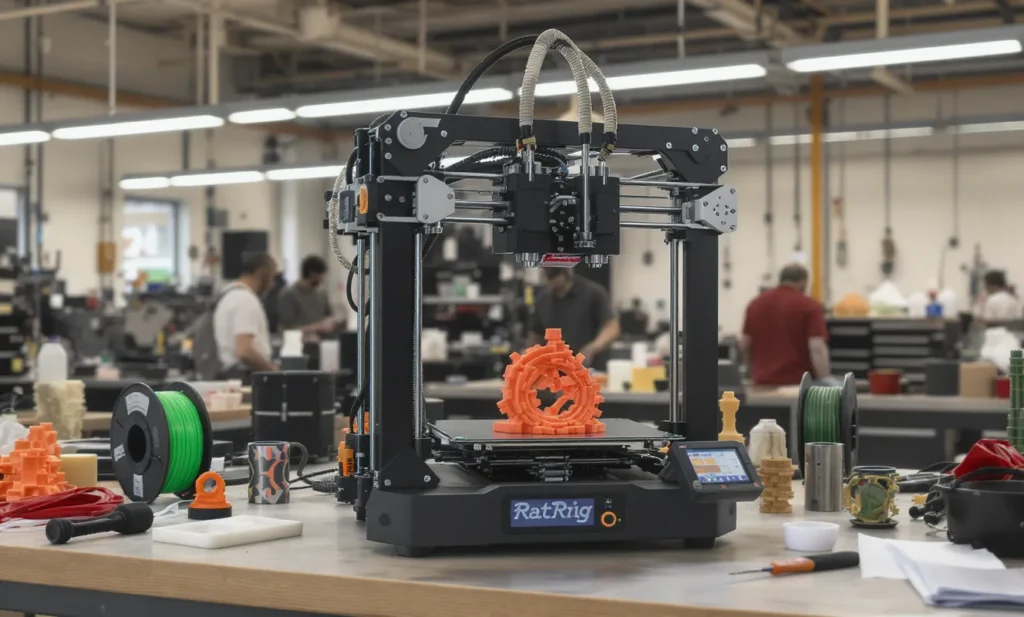
IDEX System Installation & Calibration for V-Core 3D Printers
In industrial and advanced hobbyist 3D printing, IDEX system installation for the Independent Dual Extruder (IDEX) setup has become a game-changer for efficiency, precision, and multi-material capability. For Australian engineers and manufacturers using RatRig V-Core systems, performing an IDEX system installation and calibration can unlock high-speed production workflows, rapid prototyping, and complex part fabrication.
This guide provides a comprehensive, step-by-step approach to IDEX system installation and calibration on your V-Core printer, with insights tailored to professional applications in prototyping, tooling, and production-grade manufacturing.
The E3 builds on the E2 series’ strengths but adds expanded material capabilities and much higher speed without sacrificing precision — a critical leap for industrial applications.
Understanding IDEX System Installation Technology and Its Industrial Benefits
An IDEX system uses two independent toolheads on the same gantry, allowing each extruder to operate separately. This enables:
- Duplicate printing: Print two identical parts simultaneously, doubling output without doubling print time.
- Mirror printing: Create mirrored parts without manual flipping, ideal for symmetrical components in automotive and aerospace.
- Multi-material printing: Combine different materials or colors in a single job, such as rigid PLA with flexible TPU.
- Soluble support structures: Use PVA or BVOH supports for complex geometries, enabling clean overhangs and intricate internal channels.
These capabilities translate into significant productivity gains in industrial environments, where machine uptime and output quality are paramount. For example, a manufacturing line producing jigs can halve production time by printing two at once, while R&D teams can prototype complex assemblies with functional materials in fewer iterations. Learn more about IDEX systems from Raise3D’s official guide.
| Build Volume | Speed | Material Capability |
|---|---|---|
| 500×500×500 mm | 200 mm/s | TPU, PETG ESD, PLA Pro |
| 400×400×400 mm | 180 mm/s | PLA, ABS, Nylon |
| 300×300×300 mm | 160 mm/s | Standard filaments |
As shown above, the larger build volumes support industrial tooling and batch production without compromising on precision or material diversity. The combination of high speed, large volume, and diverse material compatibility makes IDEX-equipped V-Core printers suitable for everything from electronics enclosures to aerospace fixtures.
Preparing for IDEX System Installation (200-250 words)
Before starting your IDEX system installation on the V-Core printer, ensure you have:
- Secondary toolhead carriage and mounting hardware designed for V-Core gantry specifications
- Dual extrusion hotends with material-specific nozzles, considering factors like abrasive resistance and thermal conductivity
- Independent X-axis belt routing components for isolated motion control
- Additional stepper drivers for the second extruder, ensuring smooth and precise motor operation
- Filament runout sensors for each extruder to prevent failed prints and wasted material
Verify that your firmware supports IDEX configurations — RatOS is recommended for V-Core as it includes automated calibration routines, nozzle alignment macros, and material-specific offset adjustments. A firmware mismatch can lead to motion errors or extrusion conflicts.
Prepare your workspace with adequate lighting, an anti-static mat for ESD protection when handling electronics, and sufficient bench space for both mechanical and electrical assembly. Organizing your tools beforehand — including hex keys, torque wrenches, and cable ties — will streamline the process.
RatOS enables fully automated Beacon Contact Model calibration, temperature offset adjustment, and precise nozzle alignment, reducing human error and ensuring consistent dual-extrusion performance.
Safety is paramount: disconnect power before mechanical installation, wear safety glasses when cutting or routing belts, and follow proper torque settings when fastening components to prevent damage to the frame or mounting plates.
Mechanical Assembly Steps for IDEX System Installation (200-250 words)
- Mount Secondary Toolhead: Attach the second carriage to the gantry, ensuring smooth linear motion without binding. Align the belt routing for independent X-axis movement, checking tension to avoid backlash or slippage during operation.
- Install Hotends: Fit each extruder with nozzles suited to the intended materials — hardened steel for composites like carbon-fiber nylon, brass for standard filaments like PLA or PETG. Ensure proper thermal isolation between hotends to prevent heat creep.
- Cable Management: Route wiring neatly along the gantry using cable chains or clips. This prevents drag or interference during high-speed operation and reduces wear on wires. Leave sufficient slack for full travel of each toolhead.
- Add Filament Sensors: Position runout sensors close to the extruder inlet to detect supply issues promptly, minimizing wasted print time. Secure them firmly to avoid misreads from vibration.
Check all fasteners for secure fit but avoid overtightening, which can deform mounting points or introduce stress into the frame. After assembly, manually move each carriage through its range to confirm smooth travel, and inspect belt alignment from multiple angles. A correctly assembled mechanical stage ensures the precision required for dual-material prints without introducing calibration drift.
Electrical & Firmware Configuration for IDEX System Installation (200-250 words)
- Connect Extruder Motors: Plug each motor into its dedicated stepper driver channel on the control board, confirming pin alignment and connector orientation. Use shielded cables where possible to reduce electrical noise.
- Flash RatOS Firmware: Enable IDEX mode in configuration files. RatOS offers predefined macros for dual extrusion, purge towers, and prime lines, simplifying setup for common workflows.
- Configure Filament Paths: Set up Bowden or direct-drive systems based on material requirements. Direct-drive is preferred for flexible filaments like TPU due to reduced retraction distances, while Bowden can improve speed for rigid materials.
- Sensor Integration: Assign filament runout sensors to the correct extruder in firmware settings, and test detection before starting production prints.
Fine-tune motor currents in firmware to match the specifications of your stepper drivers, preventing overheating or skipped steps. RatOS allows per-extruder temperature offsets, which is critical when printing with materials requiring different thermal environments. Proper electrical configuration ensures that each toolhead operates independently, with precise control over motion and extrusion, reducing risk of cross-contamination between materials.
Calibration Procedures for IDEX System Installation (200-250 words)
Beacon Contact Model Calibration: This RatOS feature automatically detects nozzle offsets in X, Y, and Z, compensating for thermal expansion differences between materials. Run this routine after any mechanical adjustments.
Bed Leveling & Gantry Alignment: Perform mesh leveling with both nozzles active to ensure uniform adhesion across the build plate. Misaligned gantries can lead to inconsistent layer bonding, especially in dual-material prints.
Nozzle Offset Fine-Tuning: Print a dual-color calibration cube or alignment pattern. Measure layer registration with calipers and adjust offsets in firmware until perfect alignment is achieved. Repeat until results are consistent across multiple test prints.
Extrusion Synchronization: Calibrate E-steps for each extruder independently, using precise filament measurements and controlled extrusion tests. Perform flow rate calibration for each material type to ensure consistent output, reducing issues like under-extrusion or blobbing.
Document all calibration values for future reference. This ensures that after maintenance or part replacement, you can quickly restore optimal performance without repeating the full calibration process from scratch.
Common Mistakes to Avoid During IDEX System Installation (150-200 words)
- Skipping Firmware Updates: Outdated firmware may lack critical IDEX support, leading to motion conflicts or poor extrusion control.
- Poor Cable Management: Loose or tangled cables can drag against moving parts, causing artifacts in prints or even mechanical failure.
- Incorrect Nozzle Material: Using brass for abrasive filaments like carbon fiber will cause rapid wear, degrading print quality and risking nozzle clogs.
- Ignoring Temperature Offsets: Each material expands differently when heated; failing to calibrate temperature offsets can cause misaligned layers in dual-material prints.
- Neglecting Belt Tension: Uneven belt tension between toolheads can cause positional inaccuracies, particularly in mirror or duplicate modes.
Addressing these issues early prevents costly downtime and wasted materials. Regular inspection of belts, wiring, and hotends will maintain consistent performance and extend the life of your IDEX system. For best practices, see Ultimaker’s dual extrusion guide.
Advanced Considerations & Industry Trends
IDEX adoption is rising in aerospace and automotive tooling due to composite filament capability and the efficiency of parallel production. With reinforced materials, manufacturers can produce functional prototypes and end-use parts that withstand high mechanical stresses.
Automated calibration systems, such as RatOS Beacon routines, reduce setup times by up to 40%, making them ideal for small-batch, high-precision runs where rapid turnaround is critical. These systems also improve repeatability, a key metric for industries adhering to strict tolerances.
Larger build volumes, up to 500 mm cube, are enabling single-pass production of tooling jigs and molds, eliminating the need for multi-part assembly. The trend toward high-speed composite printing with abrasion-resistant hotends is expanding into medical device prototyping and custom manufacturing sectors.
Tools, Resources & Implementation Guide for IDEX System Installation (150-200 words)
- RatOS Documentation: Detailed setup, calibration procedures, and troubleshooting guides tailored for V-Core IDEX configurations.
- Material Profiles: Manufacturer-recommended settings for each filament type, ensuring optimal temperature, speed, and cooling parameters.
- Maintenance Kits: Spare belts, nozzles, hotend components, and lubrication supplies to keep your printer in peak condition.
- Diagnostic Tools: Multimeters for electrical testing, calipers for dimensional checks, and thermal cameras for heat distribution analysis.
Implementation starts with thorough planning: assess your production goals, select materials suited to your applications, and configure your printer accordingly. By integrating the right resources and tools, you can minimize downtime, improve output quality, and extend the lifespan of your IDEX system.
Conclusion: Maximizing Benefits of IDEX System Installation (150-200 words)
Installing and calibrating an IDEX system on your V-Core printer unlocks powerful capabilities: dual extrusion, multi-material printing, and parallel production. By following precise mechanical, electrical, and firmware setup steps — and leveraging RatOS automated calibration — you can achieve industrial-grade performance with minimal downtime.
For Australian engineers and manufacturers, an IDEX system installation means faster prototyping, more complex part geometries, and improved throughput. Avoid common pitfalls by maintaining proper cable management, using correct nozzle materials, and keeping firmware updated. Regular maintenance will ensure consistent quality and extend system longevity.
Exploring advanced materials such as carbon-fiber nylon, flexible TPU, or ESD-safe PETG can further expand your manufacturing possibilities. Whether producing aerospace tooling, automotive jigs, or educational prototypes, a well-installed and calibrated IDEX system will elevate your manufacturing capabilities and position your workflow at the forefront of modern 3D printing technology.
